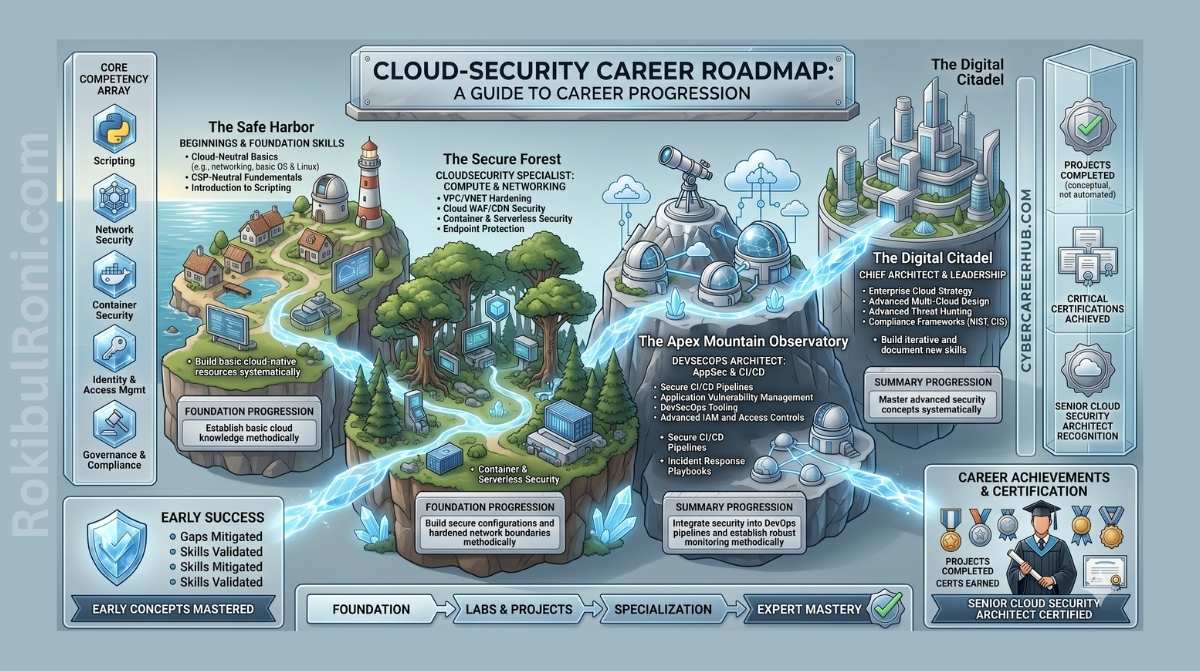
Cloud security gets marketed as something futuristic—a dashboard spots the threat, an AI explains it, a button fixes it. The reality is messier and far more interesting. It’s architecture review, identity design, logging, automation, incident response, and the constant effort to keep fast-moving infrastructure from becoming a playground for attackers.
The old network perimeter doesn’t cut it anymore. In the cloud, a developer can spin up a database, expose a storage bucket, assign a powerful role to a VM, or open a route to the internet in just minutes. That speed is why cloud computing exists, but it’s also why cloud security engineers need to think simultaneously as builders, auditors, and defenders.
This roadmap takes that career concept and makes it actionable. If you’re getting into cloud security, don’t aim to memorize every service name. Instead, focus on understanding how cloud systems actually get built, where they break, how attackers exploit misconfigurations, and how to automate safeguards before problems reach production.
What Cloud Security Really Means
Cloud security isn’t a single job—it’s a cluster of interconnected work that bridges infrastructure, software engineering, security operations, and governance.
Starting out, you might review security group rules, triage alerts, rotate old access keys, document risky configurations, and run posture scans. As you grow, you’ll design landing zones, write Terraform modules, build CI/CD guardrails, automate remediation workflows, refine GuardDuty or Defender for Cloud detections, and help incident responders piece together what happened from audit logs.
The mindset that connects all of this is straightforward: cloud security is defensive engineering. Your job isn’t just pointing out what’s wrong—it’s building repeatable systems that make the secure option easier than the insecure one.
| Area | What It Means | Why It Matters |
|---|---|---|
| Architecture | VPCs, subnets, routing, accounts, projects, and landing zones | Most cloud breaches begin with weak design or unsafe defaults |
| Identity | Users, roles, service accounts, policies, permissions, and trust | Identity is the real cloud perimeter |
| Data protection | Encryption, storage access, backups, secrets, and key management | Cloud platforms make data easy to copy, expose, and share |
| Logging | CloudTrail, activity logs, audit logs, DNS logs, flow logs, and SIEM pipelines | You cannot investigate what you did not collect |
| Automation | Terraform, policy as code, serverless response, and CI/CD checks | Manual cloud security does not scale |
| Operations | Alert triage, incident response, evidence capture, and remediation | Security must survive real incidents, not just audits |
The Foundational Skills That Matter Most
You can’t secure what you don’t understand. Beginners often rush into advanced threat hunting before they can explain how a subnet route table actually works. That creates gaps. Build the foundation first.
1. Networking in the Cloud
Cloud networking hides the physical wiring, but the principles stay the same. Get comfortable with:
- How VPCs and virtual networks segment and isolate resources
- The difference between public and private subnets
- How route tables direct traffic flow
- When to use security groups versus network ACLs
- How load balancers, NAT gateways, VPNs, and private endpoints shift your attack surface
- The ways DNS can misdirect traffic or leak infrastructure details
If someone deploys a database in a public subnet accepting traffic from 0.0.0.0/0, you should immediately see why it’s dangerous, know how to demonstrate the risk, and have a fix ready that won’t break the application.
2. Identity and Access Management
In the cloud, identity becomes your real perimeter. A server breach turns into a major incident if that server has an overpowered role attached.
Learn to read IAM policies, trust policies, permission boundaries, service principals, managed identities, and resource-based policies. Least privilege isn’t a catchphrase—it’s the practice of giving a user, service, function, or workload only the specific actions it needs on only the specific resources it needs, under the right conditions.
AWS (and the others) recommend least privilege enforcement and using tools like IAM Access Analyzer to fine-tune permissions based on actual usage patterns. That’s the kind of practical guidance you should translate into lab work, scripts, and portfolio projects.
3. Linux, APIs, and Scripting
Most cloud workloads run on Linux, and you control most cloud platforms through APIs. You need enough Linux comfort to inspect systems, read logs, manage permissions, and troubleshoot services. You also need scripting skills to automate security checks.
Python is the best starting language for cloud security automation. You can use it to call APIs, parse JSON, query asset inventories, flag insecure settings, and trigger remediation actions. Bash still has a place for quick Linux tasks, local tooling, and glue scripts.
4. Infrastructure as Code
Modern teams don’t click through cloud consoles to build infrastructure—they define it in code. Learning Terraform (and, to a lesser extent, CloudFormation or Pulumi) lets you review, version, and audit infrastructure changes the same way you would application code. For security work, Infrastructure as Code is also where you catch misconfigurations before they ever reach production.
The Tools You Should Learn
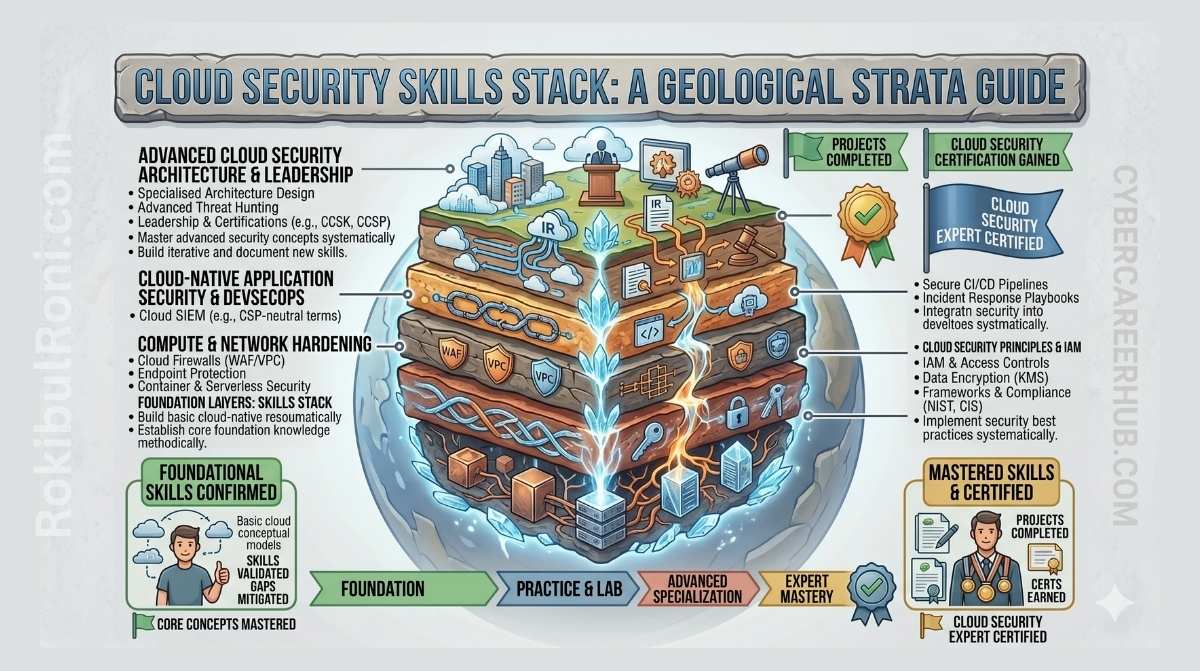
Don’t try to master every cloud security product at once. Start with the tools that teach concepts you’ll carry forward. Once you understand why a tool exists, learning its competitor becomes straightforward.
| Skill Area | Learn First | Why It Helps |
|---|---|---|
| Cloud provider | AWS or Azure first, then add GCP | Most jobs want depth in at least one major platform |
| Infrastructure as code | Terraform | Helps you review, deploy, and secure repeatable infrastructure |
| IaC scanning | Checkov or tfsec | Finds misconfigurations before deployment |
| Posture scanning | Prowler, ScoutSuite, CloudSploit, or Defender CSPM | Shows real account risks against security benchmarks |
| Logging | AWS CloudTrail, Azure Activity Log, GCP Audit Logs | Gives evidence for investigation and compliance |
| Detection | Amazon GuardDuty, Microsoft Defender for Cloud, Security Command Center | Teaches cloud-native threat detection patterns |
| Querying | Athena SQL, KQL, BigQuery, Splunk SPL | Lets you search large log sets during investigations |
| Automation | Python SDKs, Lambda, EventBridge, Azure Functions, Logic Apps | Lets you turn response playbooks into repeatable controls |
| Secrets | AWS Secrets Manager, Azure Key Vault, Google Secret Manager | Prevents hardcoded secrets and weak key handling |
Cloud audit logging deserves real attention. AWS CloudTrail logs API calls with details—who made the request, when, source IP, parameters, response data. When someone disables logging, modifies a role, generates access keys, or takes a database snapshot, those events become your investigation breadcrumb trail.
Detection tools matter too, but they’re not magic. Amazon GuardDuty watches AWS accounts for suspicious activity—unusual API patterns, malware signals, strange network traffic. Your job isn’t just reading the alert. You need to understand what it actually means, which logs support it, what systems it affects, and which remediation is safe.
A Practical Roadmap From Beginner to Cloud Security Engineer
This roadmap is deliberately sequential. You can accelerate or take your time, but don’t skip the foundations.
Phase 1: IT, Linux, and Networking
Start by building hands-on operating knowledge.
- Work in Linux daily—file navigation, permissions, services, logs, SSH, shell scripts
- Master the fundamentals: TCP/IP, DNS, HTTP, TLS, routing, ports, and subnets
- Understand the full path of a web request from user to server
- Get comfortable reading firewall and web server logs
- Build a small lab: a Linux VM running a simple web service
Milestone: You should be able to explain how a user reaches an application and identify every place security controls can see, block, log, or encrypt that traffic.
Phase 2: Cloud Builder Basics
Pick one cloud provider and get comfortable building with it. AWS is a smart first choice—strong market presence and abundant learning material. Azure is equally solid in enterprise shops. GCP excels for data work, Kubernetes, and platform teams.
Focus on building, not securing yet:
- Open a free-tier or sandbox account
- Launch a static website
- Spin up a virtual machine
- Connect a web tier to a database tier
- Set up a public subnet and a private subnet
- Turn on basic audit logging
- Deliberately break something, then fix it
Milestone: Deploy a small multi-tier app and sketch its architecture from memory—VPCs, subnets, security groups, the whole picture.
Phase 3: Security Fundamentals and IAM
Now go back to what you built and lock it down.
- Remove public access from resources that don’t need it
- Enable encryption on storage and databases
- Activate full audit logging
- Build least-privilege roles from scratch
- Write a custom IAM policy for a specific function
- Test what the policy allows and blocks
- Run a posture scan and interpret the findings
Milestone: You should explain every permission your workload has and justify why it’s needed.
Phase 4: Terraform and Policy as Code
Step away from the console. Rebuild your environment as code using Terraform.
- Write Terraform modules for networking, compute, storage, and IAM
- Push the code to Git
- Run linting (
terraform fmt), validation (terraform validate), and security scanning - Wire in CI/CD checks through GitHub Actions
- Make the pipeline fail when risky configurations appear
Milestone: Someone should be able to clone your repo, read the code, and understand your full cloud setup and every security control.
Phase 5: Detection and Automated Response
Security teams win when someone closes the gap between alert and action.
- Turn on cloud-native threat detection
- Route findings to an event bus or SIEM
- Write a Python function that acts on a specific event type
- Automatically tag, isolate, or fix risky resources
- Send notifications to Slack, email, or your ticket system
- Document what you automate and what you keep manual
Milestone: A real cloud security event fires a safe, auditable automated response.
Three Portfolio Labs That Can Land You Interviews
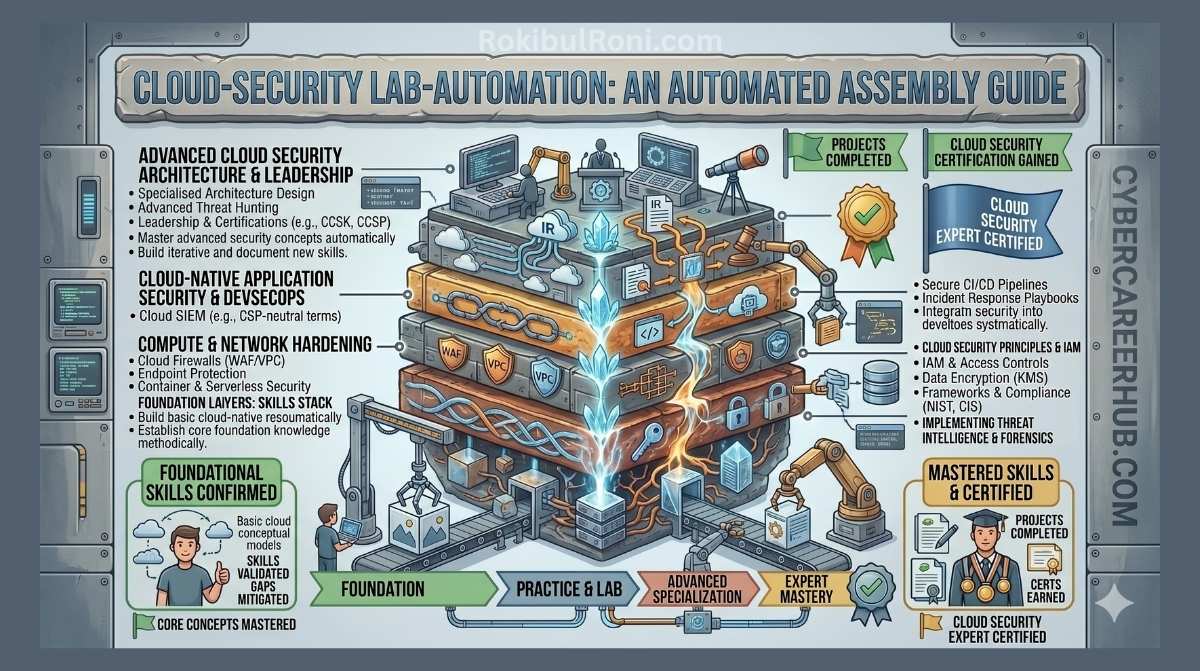
Certifications get your resume past filters. A portfolio gets you through technical interviews. Build projects that look like real work.
Lab 1: Automated Security Group Remediation
Build an AWS environment where a risky security group rule (SSH open to the world) gets detected and automatically closed.
Your setup:
- Terraform defines the VPC, security group, EventBridge rule, Lambda, and notification channel
- CloudTrail captures the change
- EventBridge detects the risky rule creation
- Lambda evaluates and removes the open SSH access
- The function logs what it did and alerts you
Document everything:
- Architecture diagram
- Terraform code structure
- The Python remediation logic
- Screenshots showing before/after
- Notes on when automation helps and when it can cause problems
Lab 2: IAM Credential Auditor
Build a Python script that audits IAM users and their access keys.
Starter version:
- List all IAM users
- Find access keys older than 90 days
- Export names, key IDs, and ages to CSV
- Summarize the high-risk accounts
Next level:
- Detect keys that haven’t been used
- Flag accounts without MFA enabled
- Add a dry-run mode so you can preview changes
- Automatically deactivate old keys, but only after you approve
This project shows you understand both cloud identity risks and safe automation practices.
Lab 3: Secure Terraform Pipeline
Create a Terraform repository with intentional security mistakes, then block them with CI/CD.
Include problems like:
- A storage bucket that’s publicly readable
- A database without encryption
- A security group that’s too open
- A hardcoded API key in a config file
- An IAM policy using wildcards
Set up GitHub Actions to run Checkov or tfsec on every commit. Make the pipeline fail when it finds high-risk issues and pass only after you fix them.
This project demonstrates DevSecOps thinking: catch problems before they reach production.
Certification Strategy Without Wasting Money
Certifications matter when they match your actual level. Don’t chase random badges. Use them to structure your learning and show you’re ready.
| Stage | Smart Certifications | Why |
|---|---|---|
| Beginner | CompTIA Network+, Security+, AWS Cloud Practitioner, Microsoft SC-900 | Build vocabulary, pass early filters |
| Cloud foundation | AWS Solutions Architect Associate, Azure Administrator Associate, Google Associate Cloud Engineer | Prove you can actually build in the cloud |
| Cloud security | AWS Certified Security - Specialty, Azure Security Engineer Associate, Google Professional Cloud Security Engineer | Show hands-on security skill on a specific platform |
| Vendor-neutral security | CSA CCSK, ISC2 CCSP | Demonstrate broader cloud security knowledge beyond one provider |
| Senior roles | Microsoft SC-100, CISSP, SABSA | Support architecture and leadership positions |
Keep in mind: ISC2 updated the CCSP exam in August 2026. Microsoft refreshes its exams regularly (SC-100 changed in April 2026). Always check the official exam outline before you buy training materials.
The practical path for most people:
- Build Linux and networking fundamentals.
- Get Security+ only if your market values it.
- Earn one cloud associate cert after you’ve actually built something.
- Create two portfolio labs.
- Pursue a cloud security cert once you can talk about real risks, not just exam material.
Where the Jobs Are
Many people only look at big tech companies and security vendors. They’re good targets, but they’re not your only option.
Cloud is moving fast in finance, healthcare, telecom, manufacturing, construction, logistics, education, government contracting, and data centers. These organizations juggle complex hybrid setups, legacy systems, compliance requirements, and urgent cloud migration timelines. That pressure creates real demand for people who can secure cloud infrastructure without turning delivery into a bottleneck.
Cloud security roles come under many different titles—especially in Asia Pacific markets:
- Cloud Security Analyst
- Cloud Security Engineer
- DevSecOps Engineer
- Security Automation Engineer
- Cloud SOC Analyst
- IAM Engineer
- Security Architect
- Cloud Compliance Analyst
- Infrastructure Security Engineer
Don’t dismiss a job because the title isn’t perfect. Read the actual duties. If the role touches IAM policy, cloud logging, Terraform, threat detection, CI/CD security, vulnerability scanning, or incident response, it’ll build the right experience.
How to Answer Cloud Security Interview Scenarios
Interviewers want to see if you can reason through risk. Here’s an example:
A detection tool flags an EC2 instance as possibly compromised. What’s your move?
Weak answer: “I’d check the dashboard and block the attacker.”
Strong answer follows a logical chain:
- Start by confirming the basics: what triggered the alert, how severe is it, which account, which region, instance ID, attached role, public IP, and when did it happen.
- Lock down evidence—capture relevant logs and snapshot the instance following your incident playbook.
- Contain it: change security groups, reroute traffic, move it to a quarantine workflow.
- Dig into CloudTrail for suspicious API calls made by that instance’s role or related accounts.
- Cross-check GuardDuty alerts, VPC flow logs, DNS queries, auth logs, and recent deployments.
- Figure out what got accessed—credentials, sensitive data, other systems.
- Rotate any exposed credentials and strip risky permissions.
- Rebuild the instance from a clean image instead of trying to clean a compromised host.
- Write up root cause, blast radius, what you fixed, and how you’ll detect it faster next time.
That answer shows you think about architecture, understand logging, know containment, and speak the cloud language.
A 90 Day Study Plan
Want a structured timeline? Here’s a realistic 90-day path.
| Days | Focus | Deliverable |
|---|---|---|
| 1-15 | Linux, networking, DNS, HTTP, TLS, subnetting | Study notes, command cheatsheet, working web server in a VM |
| 16-30 | Building in the cloud | Static website, EC2 instance, database, multi-subnet architecture sketch |
| 31-45 | IAM and logging | Write custom IAM policies, run real CloudTrail or activity log queries |
| 46-60 | Terraform | Recreate your lab as infrastructure-as-code in a Git repo |
| 61-75 | Posture scanning and CI/CD | Wire Checkov or tfsec into a pipeline that blocks bad Terraform |
| 76-90 | Automate responses | Build an event-triggered remediation lab with full documentation |
Wrap up with a clean GitHub repo, an architecture diagram, screenshots or a demo video, and a write-up of what you learned and what tradeoffs exist. That beats telling someone you finished a course.
Official References Worth Bookmarking
- AWS IAM security best practices
- AWS CloudTrail documentation
- Amazon GuardDuty documentation
- Terraform introduction
- Checkov documentation
- Prowler documentation
- Microsoft Defender Cloud Security Posture Management
- ISC2 CCSP certification
- CSA CCSK v5 FAQ
- Google Professional Cloud Security Engineer
Final Advice
The cloud security path does not require genius. It requires patient technical depth. Build things, break things, read logs, fix permissions, automate the boring checks, and document the lessons.
The people who grow fastest are not the people who know the most service names. They are the people who can look at a cloud architecture and answer four questions:
- What can reach this system?
- What identity can this system use?
- What data can it access?
- What evidence will exist if it is abused?
If you can answer those questions with confidence and prove it through labs, you are already moving like a cloud security engineer.
