Pros
- • Completely free and open-source - zero licensing costs for unlimited agents and data ingestion
- • Unified SIEM + XDR platform: log analysis, FIM, SCA, vulnerability detection, and active response in one agent
- • Native MITRE ATT&CK mapping on every alert - immediate adversary tactic context for every detection
- • Multi-node cluster architecture scales horizontally to handle millions of events per day
- • Built-in compliance dashboards for PCI DSS, HIPAA, GDPR, NIST 800-53, TSC, and CMMC
- • 620,000+ community members and 10M+ Docker pulls - the most widely deployed open-source SIEM on the planet
- • Deep cloud integrations: AWS, Azure, GCP, Office 365, Docker, and Kubernetes monitoring out-of-the-box
Cons
- • No vendor-managed SaaS option - you own the infrastructure, patching, and scaling
- • Initial deployment and rule tuning requires strong Linux and security engineering skills
- • High EPS environments require careful Indexer cluster sizing and ongoing performance tuning
- • Custom decoder/rule authoring has a steep learning curve compared to commercial alternatives
- • No built-in SOAR - requires Shuffle or TheHive integration for automated response workflows
Enterprise SIEM platforms are expensive—absurdly expensive. Splunk Enterprise Security, IBM QRadar, Microsoft Sentinel. You’re looking at $100,000 to $500,000 annually, just for licensing, before you even think about infrastructure or implementation.
Wazuh changed that equation. It’s a production-grade, enterprise-class SIEM and XDR platform that’s completely free. No licensing costs. No per-endpoint fees. No hidden pricing. Over 620,000 organizations use it—including banks, government agencies, healthcare systems, and Fortune 500 companies that literally can’t tolerate security failures.
Wazuh isn’t a learning tool or a hobbyist project. It processes millions of security events per day. It satisfies PCI DSS, HIPAA, GDPR, and NIST 800-53 audits. It’s real production infrastructure.
This guide covers how to deploy it properly—at scale, with high availability, and with the configuration depth to get every defensive capability out of it.
What Is Wazuh, Really?
Wazuh is a unified open-source platform that does SIEM and XDR in one coherent system. Instead of stitching together separate tools for log collection, endpoint monitoring, vulnerability detection, and compliance checking, Wazuh does all of it from a single architecture.
And it doesn’t approximate the capabilities of commercial platforms—it matches them. Full stop. You’re not getting a hobbyist version of Splunk or QRadar. You’re getting a genuinely competitive enterprise-grade SIEM, available for free.
Log collection from everywhere — Agents on your endpoints, syslog from network devices, cloud API polling (AWS, Azure, GCP), container logs from Docker and Kubernetes.
File Integrity Monitoring (FIM) — Real-time detection when files change, directories are modified, or registry keys shift. You see what changed, when, by which process, and by which user.
Compliance checking — CIS Benchmarks, PCI DSS, HIPAA, GDPR requirements—automatically evaluated. Wazuh tells you which systems pass, which fail, and what to fix.
Vulnerability detection — Your agents inventory installed software. Wazuh cross-references that against the National Vulnerability Database and vendor CVE lists. You know exactly which systems have exploitable vulnerabilities.
Threat detection — 3,000+ built-in detection rules, all mapped to MITRE ATT&CK techniques. When you see an alert, you immediately know what tactic the attacker was attempting.
Automated response — When a threat is detected, Wazuh can automatically block the source IP on your firewall, kill a malicious process, or run custom remediation scripts.
Cloud monitoring — Native support for AWS CloudTrail, Azure Activity Logs, GCP Audit Logs, and Office 365. You’re not collecting cloud events manually.
Container and Kubernetes monitoring — Docker and Kubernetes environments are fully visible.
Compliance dashboards — Pre-built compliance modules for PCI DSS, HIPAA, GDPR, NIST 800-53, SOC 2 (TSC), and CMMC. Audit-ready evidence with one export.
How Wazuh Is Built
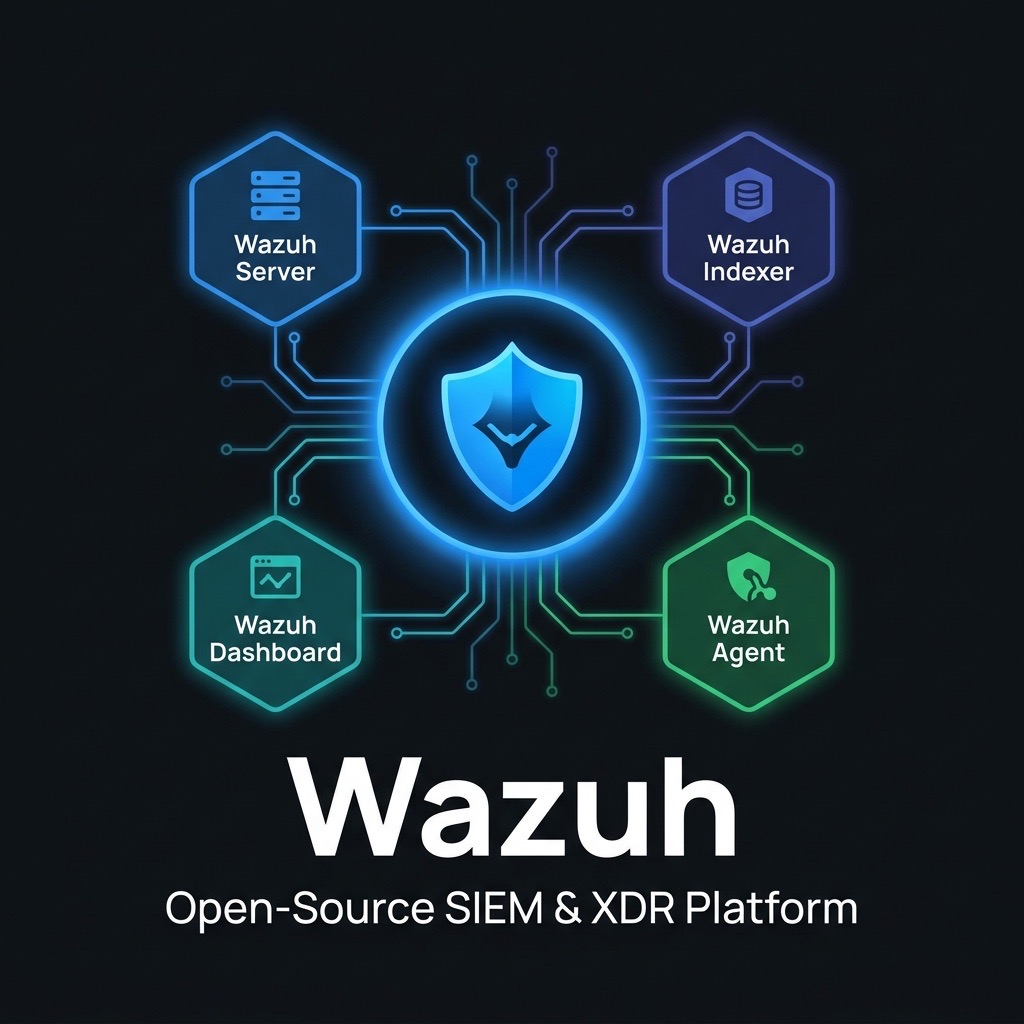
Wazuh separates into four functional components, each doing one job really well. You can scale them independently. Understanding what each one does—and what breaks when you starve it for resources—is the foundation of keeping Wazuh running smoothly.
The Wazuh Agent
The agent is what you install on every endpoint. It’s lightweight—we’re talking less than 50 MB of RAM, minimal CPU impact. It’s the eyes and ears of Wazuh, collecting logs and monitoring security from the endpoint level.
Runs on basically everything:
- Linux (Ubuntu, RHEL, CentOS, Debian, Amazon Linux, SUSE, you name it)
- Windows (Windows 7 through Server 2022)
- macOS, FreeBSD, OpenBSD, Solaris, AIX, HP-UX
The agent does the heavy lifting:
┌─────────────────────────────── Wazuh Agent ────────────────────────────────┐
│                                                                             │
│  Log Collection     File Integrity    System Inventory    Active Response   │
│  ─────────────      ──────────────    ────────────────    ───────────────   │
│  • /var/log/*       • FIM engine      • Running procs     • firewall-drop   │
│  • Windows EVT      • Real-time       • Packages/ports    • kill-process    │
│  • Syslog           • Scheduled scan  • OS fingerprint    • Custom scripts  │
│  • Application      • Audit rules     • HW inventory      • disable-user    │
│  • Custom files     • Diff storage    • Network ifaces    • quarantine      │
│                                                                             │
│  Security Configuration Assessment        Vulnerability Detector           │
│  ─────────────────────────────────        ────────────────────────         │
│  • CIS Benchmarks (Linux, Windows)        • Package → CVE correlation       │
│  • Pass/fail/NA scoring                   • NVD / OSV database queries      │
│  • Policy compliance %                    • CVSS scoring + severity         │
│                                                                             │
└─────────────────────────────────────────────────────────────────────────────┘
                │  Encrypted TLS (port 1514)
                ▼
         [Wazuh Server]
Agent Resource Footprint:
- CPU: < 0.5% average on modern hardware
- RAM: ~20-40 MB idle, up to 150 MB during FIM scans
- Network: ~1 Kbps per agent average (bursts during FIM/SCA)
The agent connects to the Wazuh Server on port 1514/TCP (encrypted) and receives configuration updates and active response commands back through the same channel. Agents can operate in proxy mode through a Wazuh Agent Enrollment gateway, eliminating direct firewall exposure of the server cluster.
The Wazuh Server
The server is the analytical engine. It’s where the magic happens. Agents send raw logs; the server parses them, applies detection rules, figures out what’s suspicious, generates alerts, and ships everything to storage.
Here’s the flow:
Agent logs come in
        │
        ▼
Gets decoded (raw text → structured fields)
        │
        ▼
Gets checked against 3,000+ detection rules
        │
        ▼
If a rule matches, an alert is generated
        │
        ▼
Alert is sent to the Indexer for storage
        ▼
If configured: Automatic response is triggered (block IP, kill process, etc.)
Key Processing Components:
| Component | Function |
|---|---|
| Decoder Library | 3,000+ XML decoders that parse raw log text into structured fields (src_ip, user, action, event_id, etc.) |
| Rule Engine | 3,000+ detection rules with composable logic, frequency counters, correlation windows, and MITRE ATT&CK tags |
| CDB Lists | Hash-based lookup tables for known-bad IPs, malicious domains, whitelisted users - enable high-speed enrichment |
| Active Response Daemon | Executes firewall rules, process termination, and custom scripts on agent endpoints in response to triggered alerts |
| Cluster Daemon | Synchronizes rule sets, decoders, CDB lists, and agent keys across all nodes in a Server cluster |
| Filebeat | Ships structured JSON alerts from the Server to the Wazuh Indexer over TLS |
Custom Rule Example - Detecting LSASS Memory Access:
<rule id="100100" level="12">
  <if_group>windows</if_group>
  <field name="win.system.eventID">^10$</field>
  <field name="win.eventdata.targetImage" type="pcre2">(?i)lsass\.exe</field>
  <field name="win.eventdata.grantedAccess" type="pcre2">0x1410|0x1010</field>
  <description>Possible credential dumping - suspicious LSASS access detected</description>
  <mitre>
    <id>T1003.001</id>
  </mitre>
  <group>credential_access,lsass,windows</group>
</rule>
Hardware Sizing (Per Server Node):
| Environment | Agents | EPS | CPU | RAM | Disk |
|---|---|---|---|---|---|
| Small | Up to 500 | < 500 | 4 cores | 8 GB | 500 GB SSD |
| Medium | 500-3,000 | 500-3,000 | 8 cores | 16 GB | 1 TB SSD |
| Large | 3,000-10,000 | 3,000-10,000 | 16 cores | 32 GB | 2 TB SSD |
| Cluster | 10,000+ | 10,000+ | Multiple nodes | 16 GB/node | 1 TB SSD/node |
The Wazuh Indexer
The Indexer is Wazuh’s storage and search layer. It’s built on OpenSearch, which is designed for exactly this use case: ingesting massive volumes of security alerts and letting you search through them fast.
It stores:
- Every alert Wazuh generates (in structured JSON format so you can query it)
- Raw event archives (optional—you can store complete logs if you have the disk space)
- File integrity monitoring events (who changed what file, when, and how)
- Vulnerability scan results
- Compliance check results
- Agent status and statistics
Index Architecture:
wazuh-alerts-4.x-YYYY.MM.DD       ← Daily alert index (primary search target)
wazuh-archives-4.x-YYYY.MM.DD     ← Raw event archive (optional, very high volume)
wazuh-monitoring-4.x-YYYY.MM.DD   ← Agent health and statistics
wazuh-statistics-4.x-YYYY.MM.DD   ← Server performance metrics
Multi-Node Cluster Configuration (config.yml):
# /etc/wazuh-indexer/opensearch.yml (Node 1 - Master-eligible)
network.host: 192.168.1.10
node.name: wazuh-indexer-1
cluster.name: wazuh-cluster

# Cluster peers
discovery.seed_hosts:
  - "192.168.1.10:9300"
  - "192.168.1.11:9300"
  - "192.168.1.12:9300"

cluster.initial_master_nodes:
  - "wazuh-indexer-1"
  - "wazuh-indexer-2"
  - "wazuh-indexer-3"

# Performance tuning
indices.query.bool.max_clause_count: 2048
thread_pool.search.queue_size: 10000

# Security
plugins.security.ssl.transport.pemcert_filepath: /etc/wazuh-indexer/certs/node.pem
plugins.security.ssl.transport.pemkey_filepath: /etc/wazuh-indexer/certs/node-key.pem
plugins.security.ssl.transport.pemtrustedcas_filepath: /etc/wazuh-indexer/certs/root-ca.pem
plugins.security.ssl.http.enabled: true
Hardware Sizing (Per Indexer Node):
| Environment | Daily Alerts | Retention | CPU | RAM | Disk (SSD) |
|---|---|---|---|---|---|
| Small | < 1M | 90 days | 4 cores | 8 GB | 2 TB |
| Medium | 1M-10M | 90 days | 8 cores | 16 GB | 4 TB |
| Large | 10M-50M | 90 days | 16 cores | 32 GB | 8 TB |
| Enterprise | 50M+ | 180 days | 16 cores × 5+ nodes | 32 GB/node | 16 TB/node |
Critical: Always use SSD storage for Indexer nodes. HDD-based clusters exhibit severe search latency degradation under even moderate alert loads. Pre-warming JVM heap to 50% of available RAM (max 31 GB per node) is essential for production stability.
The Wazuh Dashboard
This is where your analysts and managers live. It’s the interface to the entire platform. You get pre-built dashboards for every major use case, which means you’re not building custom Kibana queries from scratch.
What you’ll see:
Overview — Real-time alert feed, severity breakdown, which agents are generating the most alerts, which rules are firing most frequently.
Security Events — Dig into individual alerts. Search, filter, drill down. Full KQL query support if you need to do something custom.
Integrity Monitoring — See which files changed, when they changed, which hosts had changes. Timeline view of file modifications.
Vulnerability Detection — All vulnerabilities discovered on all your systems, sorted by severity. Which hosts need patches most urgently.
Configuration Assessment — CIS Benchmark results. See which systems pass compliance, which fail, what needs to be fixed.
MITRE ATT&CK — Heatmap of detected adversary tactics and techniques. If you’re being targeted with a specific attack pattern, you see it here.
Compliance Dashboards — PCI DSS, HIPAA, GDPR, NIST 800-53, SOC 2. Pre-mapped to Wazuh rules. Audit-ready evidence.
Cloud Security — Events from AWS, Azure, GCP, Office 365 in one place.
Agent Management — Deploy new agents, manage agent groups, monitor agent health.
Dashboard Configuration (wazuh.yml):
hosts:
  - default:
      url: https://wazuh-indexer-1
      port: 9200
      username: kibanaserver
      password: kibanaserver_password

# API connection to Wazuh Manager
wazuh:
  api:
    selector: true
    host: https://wazuh-server-1
    port: 55000
    username: wazuh-wui
    password: wazuh-wui-password
    run_as: false
The Production Architecture
Here’s what a real, production-ready Wazuh deployment looks like. This handles 5,000-15,000 agents without breaking a sweat, and it survives component failures without going down.
                    ┌──────────────────────────────────────────┐
                    │           MONITORED ENDPOINTS             │
                    │  Windows Servers / Linux / macOS / Cloud  │
                    └──────────────┬───────────────────────────┘
                                   │  TLS 1514/TCP
                                   ▼
                    ┌──────────────────────────────┐
                    │      LOAD BALANCER (HAProxy)  │
                    │      (agent traffic)          │
                    └──────┬───────────────┬────────┘
                           │               │
               ┌───────────▼──┐     ┌──────▼───────────┐
               │   Wazuh       │     │    Wazuh          │
               │   Server 1    │     │    Server 2       │
               │  (Master)     │ ◄──► │   (Worker)       │
               └───────────────┘     └──────────────────┘
                   │  Filebeat TLS 9200            │
                   └──────────────┬────────────────┘
                                  │
           ┌──────────────────────┼──────────────────────┐
           │                      │                      │
  ┌────────▼──────┐   ┌───────────▼────┐   ┌────────────▼───┐
  │  Wazuh        │   │  Wazuh         │   │  Wazuh         │
  │  Indexer 1    │◄──►  Indexer 2     │◄──►  Indexer 3     │
  │  (Master)     │   │  (Data)        │   │  (Data)        │
  └───────────────┘   └────────────────┘   └────────────────┘
           │
  ┌────────▼──────┐
  │  Wazuh        │
  │  Dashboard    │
  │  (HTTPS 443)  │
  └───────────────┘
Why 3 Indexer Nodes? With 3 nodes, if one fails, the other two keep working. The cluster maintains quorum and continues accepting and indexing alerts. One node goes down, nobody notices. Two can fail? You’re in trouble. One is fine.
Deployment Guide: Step-by-Step Multi-Node Install
Step 1: Generate SSL/TLS Certificates
This is the most critical pre-deployment step. All Wazuh component communication is TLS-encrypted, and certificates must be distributed correctly.
# Download the certificate generation tool
curl -sO https://packages.wazuh.com/4.7/wazuh-certs-tool.sh
curl -sO https://packages.wazuh.com/4.7/config.yml

# Edit config.yml to define your node IPs
cat > config.yml << 'EOF'
nodes:
  indexer:
    - name: wazuh-indexer-1
      ip: 192.168.1.10
    - name: wazuh-indexer-2
      ip: 192.168.1.11
    - name: wazuh-indexer-3
      ip: 192.168.1.12

  server:
    - name: wazuh-server-1
      ip: 192.168.1.20
      node_type: master
    - name: wazuh-server-2
      ip: 192.168.1.21
      node_type: worker

  dashboard:
    - name: wazuh-dashboard
      ip: 192.168.1.30
EOF

# Generate all certificates
bash ./wazuh-certs-tool.sh -A

# This creates wazuh-certificates.tar with certs for all nodes
ls ./wazuh-certificates/
Step 2: Install and Configure Wazuh Indexer Cluster (All 3 Nodes)
# On each Indexer node (repeat with appropriate node name)
curl -s https://packages.wazuh.com/key/GPG-KEY-WAZUH | gpg --dearmor | \
  sudo tee /usr/share/keyrings/wazuh.gpg > /dev/null

echo "deb [signed-by=/usr/share/keyrings/wazuh.gpg] \
  https://packages.wazuh.com/4.x/apt/ stable main" | \
  sudo tee /etc/apt/sources.list.d/wazuh.list

sudo apt-get update && sudo apt-get install -y wazuh-indexer

# Deploy this node's certificates
NODE_NAME="wazuh-indexer-1"  # Change per node
tar -xf wazuh-certificates.tar -C /etc/wazuh-indexer/certs/ \
    ./${NODE_NAME}.pem ./${NODE_NAME}-key.pem ./admin.pem \
    ./admin-key.pem ./root-ca.pem

# Set permissions
chmod 500 /etc/wazuh-indexer/certs
chmod 400 /etc/wazuh-indexer/certs/*
chown -R wazuh-indexer:wazuh-indexer /etc/wazuh-indexer/certs

# Start and initialize
sudo systemctl enable --now wazuh-indexer

# After ALL 3 nodes are running, initialize the cluster (run once from node 1)
/usr/share/wazuh-indexer/bin/indexer-security-init.sh
Step 3: Install Wazuh Server Cluster
# On Wazuh Server 1 (Master)
sudo apt-get install -y wazuh-manager

# Configure cluster in /var/ossec/etc/ossec.conf
cat >> /var/ossec/etc/ossec.conf << 'EOF'
<cluster>
  <name>wazuh</name>
  <node_name>wazuh-server-1</node_name>
  <node_type>master</node_type>
  <key>c98b62a9b0169f24c0aef266747f7f2f</key>  <!-- 32-char random string -->
  <port>1516</port>
  <bind_addr>0.0.0.0</bind_addr>
  <nodes>
    <node>192.168.1.20</node>
    <node>192.168.1.21</node>
  </nodes>
  <hidden>no</hidden>
  <disabled>no</disabled>
</cluster>
EOF

# Install and configure Filebeat to forward alerts to Indexer
sudo apt-get install -y filebeat
curl -so /etc/filebeat/filebeat.yml \
  https://packages.wazuh.com/4.7/tpl/wazuh/filebeat/filebeat.yml

# Configure Indexer output in filebeat.yml
sed -i 's/YOUR_ELASTIC_SERVER_IP/192.168.1.10,192.168.1.11,192.168.1.12/' \
  /etc/filebeat/filebeat.yml

sudo systemctl enable --now wazuh-manager filebeat
Step 4: Install Wazuh Dashboard
sudo apt-get install -y wazuh-dashboard

# Configure /etc/wazuh-dashboard/wazuh.yml
cat > /etc/wazuh-dashboard/wazuh.yml << 'EOF'
hosts:
  - default:
      url: https://192.168.1.10
      port: 9200
      username: kibanaserver
      password: kibanaserver_password
EOF

# Configure /etc/wazuh-dashboard/opensearch_dashboards.yml
cat >> /etc/wazuh-dashboard/opensearch_dashboards.yml << 'EOF'
server.host: 192.168.1.30
server.port: 443
opensearch.hosts: ["https://192.168.1.10:9200"]
opensearch.ssl.verificationMode: certificate
EOF

sudo systemctl enable --now wazuh-dashboard
Step 5: Deploy Agents at Scale
# Linux agent deployment (one-liner for automation)
curl -s https://packages.wazuh.com/key/GPG-KEY-WAZUH | gpg --dearmor | \
  sudo tee /usr/share/keyrings/wazuh.gpg > /dev/null

echo "deb [signed-by=/usr/share/keyrings/wazuh.gpg] \
  https://packages.wazuh.com/4.x/apt/ stable main" | \
  sudo tee /etc/apt/sources.list.d/wazuh.list

WAZUH_MANAGER="192.168.1.20" WAZUH_AGENT_GROUP="linux-servers" \
  sudo apt-get install -y wazuh-agent

sudo systemctl enable --now wazuh-agent

# Windows agent deployment via PowerShell (for GPO/SCCM automation)
Invoke-WebRequest -Uri "https://packages.wazuh.com/4.x/windows/wazuh-agent-4.7.5-1.msi" `
  -OutFile "wazuh-agent.msi"

msiexec /i wazuh-agent.msi WAZUH_MANAGER="192.168.1.20" `
  WAZUH_AGENT_GROUP="windows-workstations" /qn /norestart

NET START WazuhSvc
Capability Deep Dive: File Integrity Monitoring
FIM is one of Wazuh’s most operationally valuable capabilities - and one of the most frequently misunderstood. It does not just alert on file changes. It stores the full diff of what changed, when it changed, under which process, and by which user.
Configuration Example - Protecting Web Server Root
<!-- In /var/ossec/etc/ossec.conf or agent group shared.conf -->
<syscheck>
  <!-- Real-time monitoring of web root -->
  <directories realtime="yes" report_changes="yes" check_all="yes">
    /var/www/html
  </directories>

  <!-- Scheduled monitoring of system binaries (no realtime needed - audit is better) -->
  <directories check_all="yes" check_sum="yes">
    /usr/bin,/usr/sbin,/bin,/sbin
  </directories>

  <!-- Monitor Windows registry for persistence mechanisms -->
  <windows_registry check_all="yes">
    HKEY_LOCAL_MACHINE\Software\Microsoft\Windows\CurrentVersion\Run
  </windows_registry>

  <!-- Ignore noisy paths -->
  <ignore>/var/www/html/cache</ignore>
  <ignore type="sregex">\.log$</ignore>

  <!-- Alert on these regardless of ignore rules -->
  <nodiff>
    /var/www/html/.htaccess
    /etc/passwd
    /etc/shadow
  </nodiff>

  <scan_time>02:00</scan_time>
  <scan_day>saturday</scan_day>
</syscheck>
What a FIM Alert Looks Like in TheHive/Dashboard:
- Timestamp, agent, file path
- Event type: added / modified / deleted
- Previous checksum (MD5, SHA1, SHA256)
- New checksum
- Diff of file content (for text files)
- File owner/permissions before and after
- Process that made the change (via auditd integration)
Automated Response: Actually Stopping Attacks
Active Response is where Wazuh moves from detection to actual containment. When a threat is detected, the platform can automatically fight back.
An alert fires → within milliseconds → the agent on that host executes a response.
What Wazuh can do automatically:
- Block the attacker’s IP — Add firewall rules to drop traffic from the source
- Disable user accounts — Lock out a compromised account
- Kill malicious processes — Terminate a process that matched a rule
- Isolate hosts — Null-route traffic from a compromised system
- Run custom scripts — Any response you can script, Wazuh can execute
This isn’t configured by default. You have to deliberately set up Active Response rules. But once you do, your SIEM stops being a detection tool and becomes a containment tool.
Custom Active Response Example - Block SSH Brute Force
<!-- Define the command -->
<command>
  <name>firewall-drop-ssh-brute</name>
  <executable>firewall-drop.sh</executable>
  <timeout_allowed>yes</timeout_allowed>
</command>

<!-- Link command to rule trigger -->
<active-response>
  <command>firewall-drop-ssh-brute</command>
  <location>local</location>          <!-- Execute on the agent being attacked -->
  <rules_id>5763</rules_id>           <!-- Wazuh rule: SSH auth failure x10 -->
  <timeout>3600</timeout>             <!-- Auto-unblock after 1 hour -->
  <repeated_offenders>30,60,120</repeated_offenders>  <!-- Escalating timeouts -->
</active-response>
Compliance: The Thing Auditors Actually Care About
Regulated industries—hospitals, payment processors, financial institutions, government contractors—need to prove they’re doing security right. Auditors show up, ask for evidence. Wazuh makes that easy.
Every major compliance framework has a Wazuh dashboard:
PCI DSS — All requirements mapped. FIM for requirement 10 (access logging), SCA for requirement 2 (hardened systems), detection rules for suspicious activity.
HIPAA — Protected health information access monitoring. Audit logs for all administrative activity. Breach detection rules.
GDPR — Data access tracking. Unauthorized modification detection. Integrity verification.
NIST 800-53 — Controls mapped across the entire spectrum: identify, protect, detect, respond, recover.
SOC 2 Type II — Security, availability, confidentiality, processing integrity controls.
CMMC Level 2 — Defense contractor requirements—access control, audit logging, incident response.
When your auditor arrives, you don’t manually build a compliance report. You export from Wazuh. The evidence is already there.
PCI DSS Requirement 10 in Practice
PCI DSS Requirement 10 mandates logging and monitoring of all access to system components and cardholder data. Wazuh addresses this directly:
<!-- Enable audit logging for all root commands (PCI DSS 10.2.2) -->
<localfile>
  <log_format>audit</log_format>
  <location>/var/log/audit/audit.log</location>
</localfile>

<!-- Monitor all access to the cardholder data directory (PCI DSS 10.2.1) -->
<syscheck>
  <directories realtime="yes" check_all="yes" report_changes="yes"
               whodata="yes">
    /var/data/cardholder
  </directories>
</syscheck>
The Dashboard’s PCI DSS module then provides a requirements matrix with pass/fail status for each sub-requirement, generating audit-ready evidence with a single export.
The Real Cost: What You Actually Pay
Licensing Alone (5,000 Endpoints, 3 Years)
This is what the vendors ask for—just licensing, nothing else:
| Platform | Year 1 | 3-Year Total |
|---|---|---|
| Wazuh | $0 | $0 |
| Splunk Enterprise Security | $240,000 | $720,000 |
| IBM QRadar | $180,000 | $540,000 |
| Microsoft Sentinel | $85,000 (+ growth) | $285,000+ |
Splunk costs three-quarters of a million dollars. Over three years. Just for licensing.
Full Cost of Ownership (Including Everything)
This is the real number—licensing plus infrastructure plus labor:
| What You’re Paying For | Wazuh Year 1 | Commercial Equivalent |
|---|---|---|
| Licensing | $0 | $180K-$240K |
| Servers (buy/lease) | $18,000 | Included in SaaS |
| Initial setup (one-time) | $15K-$25K | Included in implementation |
| Someone to run it (0.5 FTE) | $40K-$60K | $80K-$120K (they also need ops help) |
| Support (optional) | $12,000 | Included |
| Year 1 Total | $85,000-$115,000 | $300,000-$450,000 |
Even accounting for the fact that Wazuh requires you to have Linux expertise on staff, your three-year cost is 60-70% lower than Splunk and 30-40% lower than Microsoft Sentinel. You get the same security visibility. You just pay a fraction of what commercial platforms demand.
Real Story: How a Healthcare Organization Fixed Their Audit Finding
A regional healthcare provider with 2,800 employees—three hospitals, twelve clinics—had a problem. Their HIPAA auditors found a critical gap: they weren’t collecting comprehensive logs or monitoring file integrity. The commercial SIEM they were paying $160,000 per year for only covered 400 of their 1,800 endpoints. They couldn’t afford to expand the coverage. That’s where Wazuh came in.
The Problem
| Metric | Commercial SIEM (Before) |
|---|---|
| Endpoints covered | 400 of 1,800 (22%) |
| Annual licensing cost | $160,000 |
| FIM coverage | 0 hosts (add-on not licensed) |
| Compliance dashboard | Partial HIPAA only |
| MITRE ATT&CK mapping | Not available |
| Cloud monitoring (Azure AD, Office 365) | Not included |
The Migration to Wazuh
The team deployed a 5-node Wazuh multi-node cluster:
- 3 Indexer nodes (8 cores / 16 GB RAM / 4 TB SSD each)
- 2 Server nodes (8 cores / 16 GB RAM each) behind HAProxy
- 1 Dashboard node (4 cores / 8 GB RAM) with Nginx reverse proxy
90-day migration timeline:
- Days 1-14: Infrastructure deployment, certificate generation, cluster initialization
- Days 15-30: Agent rollout to all 1,800 endpoints via SCCM (Windows) and Ansible (Linux/RHEL)
- Days 31-60: Rule tuning, custom decoder authoring for Epic EHR and Meditech logs, HIPAA dashboard validation
- Days 61-90: Active Response configuration, FIM policy deployment, compliance baseline generation
The Results
| Metric | Before (Commercial) | After (Wazuh) | Change |
|---|---|---|---|
| Endpoints covered | 400 (22%) | 1,800 (100%) | +350% |
| Annual licensing cost | $160,000 | $0 | -100% |
| FIM coverage | 0 hosts | 1,800 hosts | New capability |
| HIPAA dashboard | Partial | Full (12 controls) | Complete |
| MITRE ATT&CK visibility | None | Full TTP mapping | New capability |
| Azure AD / O365 monitoring | Not included | Full coverage | New capability |
| CVSS vulnerability visibility | Not included | All hosts | New capability |
| Infrastructure cost (annual) | Included in licensing | $18,000 | - |
| Alert-to-triage time (avg) | 47 minutes | 12 minutes | -75% (via Shuffle integration) |
The $160,000 in annual licensing savings was redistributed: $40,000 to a dedicated Wazuh operations engineer, $18,000 to infrastructure, and $102,000 to fund a dedicated purple team exercise program. The HIPAA audit finding was remediated in the 90-day window with documented evidence from Wazuh’s compliance dashboards.
Wazuh Doesn’t Live Alone
Wazuh is powerful by itself, but it’s really powerful when you integrate it with a broader security automation stack. Here’s how they fit together:
The Full Open-Source SOC Stack
Wazuh detects threats. TheHive + Cortex + Shuffle automate response:
[Wazuh Agents] ──► [Wazuh Server] ──► [Wazuh Indexer]
                          │
                    [Alert Webhook]
                          │
                          ▼
                    [Shuffle SOAR]
                          │
          ┌───────────────┼──────────────────┐
          ▼               ▼                  ▼
    [Cortex:         [TheHive:          [Slack/Teams:
    Enrich IOCs]    Create Case]        Notify SOC]
          │               │
          └───────────────┘
               Pre-triaged
               Case with full
               intelligence
Wazuh + MISP (Threat Intelligence)
<!-- Custom integration to pull MISP IoCs into Wazuh CDB lists -->
<integration>
  <name>misp</name>
  <hook_url>http://misp-server/api/attributes/restSearch</hook_url>
  <api_key>YOUR_MISP_API_KEY</api_key>
  <alert_format>json</alert_format>
</integration>
Wazuh + Velociraptor (Digital Forensics)
For active incident response investigations, Wazuh’s active response can trigger Velociraptor artifact collection on compromised endpoints - enabling immediate forensic triage from the same alert that detected the threat.
Security Hardening: Production Best Practices
1. Harden the API
# Change default API credentials immediately
curl -k -X PUT "https://localhost:55000/security/users/1" \
  -H "Authorization: Bearer $TOKEN" \
  -H "Content-Type: application/json" \
  -d '{"password": "YourStrongPassword123!"}'

# Restrict API access to Dashboard IP only (firewall rule)
ufw allow from 192.168.1.30 to any port 55000
ufw deny 55000
2. Agent Authentication with Keys
# Pre-generate agent keys for unattended enrollment
/var/ossec/bin/manage_agents -a  # Add agent, generates unique AUTH key
/var/ossec/bin/manage_agents -e  # Export key for distribution

# Enforce agent key authentication (blocks any unauthorized agent)
# In ossec.conf:
# <auth><use_source_ip>yes</use_source_ip></auth>
3. Index Template for Data Retention
# Set 90-day index lifecycle policy via API
curl -k -X PUT "https://localhost:9200/_plugins/_ism/policies/wazuh-alerts-policy" \
  -H "Content-Type: application/json" \
  -u admin:admin -d '{
    "policy": {
      "phases": {
        "hot": { "min_index_age": "1d" },
        "delete": {
          "min_index_age": "90d",
          "actions": { "delete": {} }
        }
      }
    }
  }'
Is Wazuh the Right Choice?
Perfect Fit
MSSPs and MDR providers — Unlimited agents, no licensing per endpoint. You can monitor all 100,000 of your customers’ servers with one infrastructure investment. Commercial platforms would charge you hundreds of thousands.
Healthcare and financial services — HIPAA and PCI DSS compliance dashboards built in. Audit-ready evidence with a single export. You satisfy auditors without custom reporting.
Government and defense contractors — Complete data sovereignty. Everything stays on your network. CMMC, NIST 800-53, and defense contractor requirements are natively supported.
Organizations that scale fast — Whether you’re at 50 endpoints or 10,000, Wazuh scales without licensing negotiations. Splunk would demand more money each time you double your footprint.
Teams with Linux/DevOps skills — You already understand Docker, Kubernetes, and operational infrastructure. Wazuh is a natural fit.
Look Elsewhere If…
You have zero Linux expertise — Wazuh assumes you can manage Linux systems, troubleshoot Docker, and understand clustering. If that’s not in your skill set, Microsoft Sentinel (cloud-managed) is less operational burden.
You want instant deployment with pre-built everything — Splunk Enterprise Security ships with hundreds of pre-built detection rules, data sources, and dashboards. Wazuh makes you do more configuration work upfront.
Your entire stack is Microsoft 365 and Azure — Microsoft Sentinel integrates with Azure more deeply than any external SIEM can. If you’re all-in on Microsoft, Sentinel is the path of least resistance.
You need guaranteed vendor support at 2 AM — Commercial platforms come with SLAs. Wazuh open-source doesn’t. (Wazuh does offer paid support, but you’re hiring support, not buying it with licensing.)
The Real Story
Wazuh earned its position as the world’s most-deployed open-source SIEM by delivering something that shouldn’t be possible: production-grade enterprise security visibility without the enterprise price tag.
You get everything—FIM, compliance checking, vulnerability detection, cloud monitoring, active response—all in one unified platform. There’s no feature compromise. You’re not getting a watered-down version of Splunk. You’re getting a genuinely competitive SIEM that happens to be free.
The trade-off is real: you need Linux skills. You need someone who understands how to manage infrastructure, tune detection rules, and troubleshoot Elasticsearch clusters. That’s not trivial. But if you have that expertise—or you’re willing to hire it—the economics are unambiguous.
A production Wazuh deployment for 5,000 endpoints costs $200,000-$270,000 over three years, all-in. Splunk costs $720,000. IBM QRadar costs $540,000. That’s not a rounding error. That’s money you can redirect into threat hunting, red team exercises, or the SOAR automation stack that turns your detection capability into actual response capability.
The money you save on licensing is the money you reinvest into the human expertise that actually prevents and stops breaches.
Resources & Further Reading
| Resource | Description |
|---|---|
| Official Wazuh Documentation | Deployment guides, API reference, rule authoring |
| Wazuh GitHub | Source code, issue tracker, community contributions |
| Wazuh Community Slack | 620,000+ member community for troubleshooting |
| Wazuh Blog | Integration tutorials, detection engineering, use case guides |
| Wazuh + TheHive Integration | Official guide to connecting Wazuh alerts to TheHive cases |
| Wazuh + Shuffle SOAR | Community SOAR playbook templates for Wazuh + Shuffle |
| CIS Benchmarks | Hardening guides used by Wazuh SCA policies |
| MITRE ATT&CK | Adversary tactic and technique reference |
