Pros
- • Combines Trellix's automated block-and-tackle with Sysmon's deep forensic telemetry
- • OpenSearch Machine Learning catches 'low and slow' anomalies that evade static rules
- • Highly practical deployment: Sysmon covers the gaps legacy AV products miss
- • Cost-effective log retention using OpenSearch instead of expensive per-GB commercial SIEMs
- • Direct mapping of Sysmon Event IDs to MITRE ATT&CK techniques
Cons
- • Requires tuning OpenSearch ML models; out-of-the-box anomalies can be noisy
- • Sysmon XML configurations must be strictly managed to avoid endpoint CPU spikes
- • Dual agents (Trellix + Sysmon/Winlogbeat) increase endpoint footprint slightly
Modern EDR products are powerful, but they’re not perfect. Skilled attackers routinely get past Trellix, CrowdStrike, or Windows Defender by using legitimate system tools (called “living off the land” binaries) or executing code entirely in memory, leaving no trace on disk.
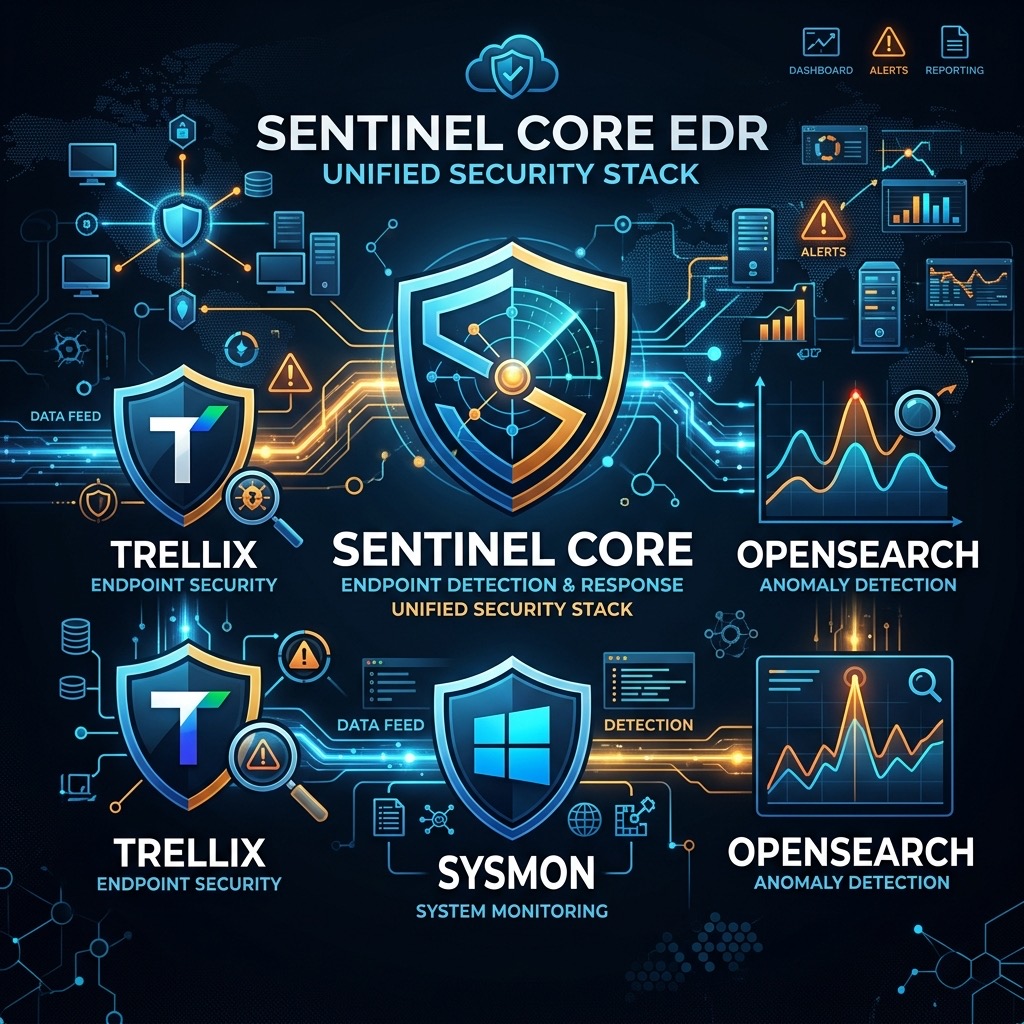
This guide shows how to build a layered defense that catches what a single EDR solution misses:
- Trellix (Automated Prevention): Blocks known malware, quarantines suspicious executables, and stops signature-based attacks.
- Sysmon (Deep Visibility): Logs every process creation, network connection, and system change in granular detail—capturing activity that Trellix might allow but is actually suspicious.
- OpenSearch (Pattern Detection): Uses machine learning to find anomalies in behavior, catching attacks that don’t match any known signature.
1. Trellix: Your First Line of Defense
Trellix Endpoint Security is your primary prevention layer—it should catch the easy stuff so your team doesn’t have to manually review every alert.
How to configure it effectively:
- Block unsigned code: Prevent unsigned executables from running in temporary directories like
AppData\Local\TempandC:\Users\Public. - Enable AMSI scanning: Turn on AMSI integration to catch malicious PowerShell and VBScript before they execute.
- Send logs to OpenSearch: Configure Trellix’s management server to forward threat events directly to OpenSearch via syslog or JSON.
What Trellix won’t catch: When attackers rename legitimate system files (like calc.exe) or use living-off-the-land techniques with tools like rundll32.exe, Trellix often lets them through because they look legitimate. That’s where the next layer comes in.
2. Sysmon: Detailed System Telemetry
Sysmon (System Monitor) is a free Windows Sysinternals utility that logs detailed system activity directly to the Windows Event Log. Once installed, it captures everything.
Why add Sysmon to Trellix? Trellix might allow powershell.exe to run (it’s a legitimate tool), but Sysmon will log which process started it, what command-line arguments it received, and what remote IP addresses it connected to. This granular visibility is critical for catching legitimate tools being misused.
Configuring Sysmon Without Drowning in Logs
Never run Sysmon with a default configuration—it will generate massive volumes of logs and slow down your endpoints. Start with SwiftOnSecurity’s community baseline and customize it for your environment.
Here’s an example showing what to look for:
<!-- Catch suspicious process creations (Event ID 1) -->
<RuleGroup name="" groupRelation="or">
  <ProcessCreate onmatch="include">
    <!-- Monitor living-off-the-land binaries -->
    <OriginalFileName condition="is">rundll32.exe</OriginalFileName>
    <OriginalFileName condition="is">regsvr32.exe</OriginalFileName>
    <OriginalFileName condition="is">certutil.exe</OriginalFileName>
    <!-- Monitor document applications spawning shells -->
    <ParentImage condition="image">winword.exe</ParentImage>
    <ParentImage condition="image">excel.exe</ParentImage>
  </ProcessCreate>
</RuleGroup>

<!-- Catch attempts to dump LSASS memory (Event ID 10) -->
<RuleGroup name="" groupRelation="include">
  <ProcessAccess onmatch="include">
    <TargetImage condition="is">C:\Windows\system32\lsass.exe</TargetImage>
    <GrantedAccess condition="is">0x1410</GrantedAccess>
  </ProcessAccess>
</RuleGroup>
Installation: Deploy via Group Policy or SCCM:
sysmon.exe -accepteula -i sysmonconfig.xml
Log Collection: Use Winlogbeat to forward Sysmon events from the Microsoft-Windows-Sysmon/Operational channel to OpenSearch.
3. OpenSearch: Finding Anomalies Automatically
Once Trellix and Sysmon are feeding data into OpenSearch, you need a way to find suspicious patterns. Rather than writing hundreds of static rules (which always fall behind attack trends), use OpenSearch’s machine learning to detect when behavior deviates from normal.
Two Essential Anomaly Detectors
Detector 1: Process Explosion
- What it watches: Count of processes created on each endpoint (Sysmon Event ID 1)
- Why it matters: Ransomware and wiper malware create hundreds of processes in minutes. The ML model builds a baseline of normal activity for each machine, then flags when that baseline suddenly spikes.
Detector 2: Suspicious Network Connections
- What it watches: Network connections from LOLBins like PowerShell to unfamiliar IP addresses (Sysmon Event ID 3)
- Why it matters: PowerShell is legitimate software, but if it suddenly connects to an IP address it has never contacted before, that’s worth investigating.
When an Alert Fires
- Investigate the anomaly: OpenSearch shows exactly which process or network activity triggered the alert.
- Cross-reference with Trellix: Check if the same endpoint had any Trellix security events around that time.
- Isolate if needed: If it’s confirmed malicious, Trellix can isolate the endpoint automatically.
Building a Practical Defense Stack
This three-layer approach hits the balance between capability and maintainability. Trellix handles the straightforward blocking that modern attackers expect. Sysmon captures the granular details that reveal how legitimate tools are being abused. OpenSearch’s machine learning adapts as attack patterns evolve, so you’re not constantly rewriting static detection rules.
For most SOCs, this represents the practical sweet spot: sophisticated threat detection without the operational burden of maintaining complex SIEM rule engines.
