Guide to the Top 10 Virtual Machine Software: A Cybersecurity Perspective
Explore the top 10 virtual machine software platforms! From bare-metal Type-1 hypervisors like Proxmox VE and Hyper-V to hosted Type-2 solutions like VMware Workstation and UTM, learn how to build secure labs, analyze malware, and configure sandbox environments.

Introduction to Virtualization
A virtual machine is not a sandbox. It is a strong boundary that a determined attacker sometimes crosses, and the difference matters the first time you detonate something that checks whether it is being watched. Malware has looked for VMware’s I/O backdoor port, VirtualBox’s Guest Additions processes and hypervisor CPUID leaves for the better part of two decades. Some samples simply exit when they find them, which means your analysis produces a clean report on a file that is not clean. Others go further: guest-to-host escapes are rare, but VM escape categories show up at Pwn2Own most years and get patched, and a lab host running a hypervisor you last updated in 2023 is running the version those exploits were written against.
None of that is an argument against virtualisation — it is the argument for choosing deliberately. The platform that makes a developer’s Windows VM feel native is usually the one with the most host integration, and host integration is exactly the attack surface you want gone when the guest is hostile. Shared folders, shared clipboard, drag-and-drop, 3D acceleration: every one of them is a code path between an untrusted guest and your host, and all of them are on by default somewhere.
So read the list below with two questions in mind. What is the isolation boundary actually made of, and what did you have to switch off to get it? A platform that is perfect for running a lab domain controller may be the wrong choice for a sample you have not identified yet.
Hypervisor Architectures: Type-1 vs. Type-2
The Type-1 / Type-2 split is the standard framing, and it is useful as long as you treat it as a spectrum rather than a wall. Modern hypervisors blur it constantly — Hyper-V is a Type-1 that makes Windows look like the host, and KVM turns the Linux kernel itself into the hypervisor while Linux keeps behaving like an ordinary operating system.
- Type-1 (bare-metal): Runs directly on the hardware with no general-purpose operating system beneath it. Fewer layers means better performance and, more importantly for security work, a much smaller trusted computing base — there is no host browser, no host desktop session and no host media codec sitting in the same privilege domain as your VMs. This is the right architecture for anything permanent.
- Type-2 (hosted): Runs as an application on an existing operating system. You pay for hardware access through the host kernel, and you inherit the host’s entire attack surface as part of your isolation boundary. What you get in return is that the VM sits next to your email and your notes, which is why nearly all analysis actually happens here.
The security consequence is the part usually left out. On a Type-2 host, “isolated” means isolated from everything except the operating system holding your SSH keys, your client reports and your password manager. That is a perfectly reasonable posture for a vulnerable target VM or a lab domain controller. It is a weak one for an unidentified sample, where the correct answer is a dedicated machine you are willing to reinstall.
1. VMware Workstation Pro
- Supported Platforms: Windows, Linux
- Type: Free for Personal Use
- Official Website: broadcom.com
- Download Link: support.broadcom.com
Overview:
Workstation Pro has been the desktop virtualisation benchmark for two decades, and Broadcom making it free for personal use after the VMware acquisition changed the calculus for anyone building a lab. Snapshot handling and virtual networking are the two things it does better than anything else at this price, which is to say free. The standing caveat is corporate rather than technical: Broadcom has already restructured VMware’s licensing more than once, and a product that is free today is free at a vendor’s discretion.
Features:
- Snapshot trees rather than a linear undo history — you can branch, which matters when you want to test three different payloads from one identical baseline.
- NAT, host-only, bridged and custom LAN segments, with per-segment control over whether a network reaches anything at all.
- Linked clones that share a base disk, so a dozen lab targets cost a dozen deltas rather than a dozen full images.
- Virtual TPM and VBS support, which is what makes a realistic Windows 11 guest possible at all.
Cybersecurity Application:
The custom LAN segment is the feature that earns its place. A segment with no NAT and no bridge is a network that physically cannot route anywhere — you can put a Windows victim and a REMnux analysis box on one, watch them talk, and know that nothing reached your home LAN because there was no path for it to take. Snapshot before detonation, revert after, branch when you want to compare behaviour.
Two things to actually do rather than assume. Turn off shared folders, drag-and-drop, clipboard sharing and 3D acceleration on any hostile guest — they are convenience features that exist as host-facing code paths, and they are enabled by default. And keep the hypervisor patched: escape research targets exactly this class of software, and an unpatched Workstation is the one component in your lab where a bug is a host compromise rather than a lab reset.
Video Tutorial:

2. Oracle VM VirtualBox
- Supported Platforms: Windows, macOS, Linux, Solaris
- Type: Free & Open Source (GPL v2)
- Official Website: virtualbox.org
- Download Link: virtualbox.org/wiki/Downloads
Overview:
VirtualBox’s advantage is reach: it runs on Windows, macOS, Linux and Solaris, boots almost any guest you point it at, and costs nothing. That combination is why it became the default in university labs, tutorials and CTF write-ups, and why the instructions you find for any given vulnerable VM usually assume it.
One licensing detail that trips up organisations: the base package is GPLv2, but the Extension Pack — USB 2.0/3.0 passthrough, RDP, disk encryption — is under Oracle’s PUEL and is only free for personal, educational or evaluation use. Installing it across a company fleet without a licence is a genuine audit finding, and Oracle has been known to ask.
Features:
- Snapshots with a full tree, plus cloning, both driveable from the command line.
- Seamless Mode, which floats guest windows onto the host desktop.
VBoxManage, a complete CLI — anything the GUI does, a script can do, which is what makes reproducible labs possible.- Guest Additions for clipboard, drag-and-drop and display integration.
Cybersecurity Application:
The reason to reach for VirtualBox specifically is Vagrant, where it is the default provider. A Vagrantfile checked into a repository turns “here is my lab” into something another person can reproduce exactly, which is the difference between a lab and a pile of disk images on an external drive. Vulnerable AD ranges, multi-host topologies and Metasploitable targets all come up in minutes.
The trade-offs are worth stating honestly. VirtualBox is the easiest hypervisor for malware to detect — the Guest Additions processes, the VBOX strings in DMI and ACPI tables, and the virtual hardware identifiers are all trivially fingerprinted, and evasive samples routinely check for them. It also historically carries more local privilege escalation CVEs than its peers, and its 3D acceleration has been a recurring source of escape research. For learning, ranges and reproducible builds it is excellent. For unidentified samples, it is the weakest boundary in this list.
Video Tutorial:
3. QEMU (Quick Emulator)
- Supported Platforms: Linux, macOS, Windows
- Type: Free & Open Source
- Official Website: qemu.org
- Download Link: qemu.org/download
Overview:
QEMU is the odd one out, and the most powerful thing here for certain jobs. Everything else on this list virtualises — it runs guest instructions on the host CPU. QEMU can do that too when paired with KVM or Apple’s Hypervisor.framework, at close to native speed. But it can also emulate, translating a foreign instruction set in software, which means it will run an ARM firmware image or a MIPS router binary on an x86 laptop that has never seen that architecture.
Features:
- Full system emulation across x86_64, ARM, MIPS, RISC-V, SPARC, PowerPC and more.
- User-mode emulation (
qemu-user) for running a single foreign-architecture binary without booting a whole system. - KVM acceleration when host and guest architectures match.
- Entirely command-line driven, which makes it scriptable in a way GUI hypervisors are not — and a GDB stub for debugging a kernel from outside the machine running it.
Cybersecurity Application:
This is the tool for firmware analysis, IoT research and embedded reverse engineering. Extract a router image with binwalk, mount the squashfs, and emulate the binary in qemu-user to watch what it does — no physical device, no serial console, no bricked hardware. Combined with the GDB stub you get single-step debugging of code that was never meant to run outside its board.
Set expectations correctly, though, because this is where people lose days. Emulating a single userland binary usually works. Emulating a full embedded system usually does not, at least not first time: the firmware expects NVRAM contents, specific flash partitions, GPIO lines and peripheral chips that QEMU does not model, and the failure is typically a silent hang or an immediate exit rather than a helpful error. Software emulation is also slow — one to two orders of magnitude below native — so it is a tool for analysis, not for running a lab. And QEMU’s own attack surface is large: its device emulation has produced a long line of escape CVEs, VENOM in the floppy controller being the famous one, which is a good argument for only compiling in the devices you need.
Video Tutorial:
4. Proxmox VE (Virtual Environment)
- Supported Platforms: Bare-metal (Debian-based)
- Type: Free & Open Source (AGPL v3) with paid enterprise support
- Official Website: proxmox.com
- Download Link: proxmox.com/en/downloads
Overview:
Proxmox is the point at which a lab stops being something you switch on and becomes infrastructure that is simply running. It installs on bare metal over Debian, gives you KVM virtual machines and LXC containers under one web interface, and costs nothing — the subscription buys the enterprise repository and support, not the features. For a repurposed office server or a second-hand mini PC, nothing else comes close.
Features:
- KVM full virtualisation and LXC containers side by side, so a Windows domain controller and a dozen lightweight Linux services share one host efficiently.
- Clustering with live migration between nodes, which most home labs never need and is very pleasant when they do.
- Scheduled backups with a restore path that actually works, plus Proxmox Backup Server if you want deduplication.
- ZFS and Ceph integration, giving you snapshots and checksummed storage at the filesystem layer.
Cybersecurity Application:
This is the right foundation for a persistent detection lab: a SIEM, a log shipper, several Windows and Linux targets, a pfSense or OPNsense VM doing the routing, all on hardware that is not your laptop. Because the VMs stay up, you accumulate weeks of baseline telemetry — and detection engineering without a baseline is guesswork.
Where people get hurt: the default install is a single node with no redundancy, and a lab you have come to depend on is a lab whose disk failure is now a bad weekend. ZFS wants ECC memory and real RAM to be safe rather than merely functional, and it will happily consume half your host’s memory for ARC if you do not cap it. LXC containers share the host kernel — they are a resource-efficiency feature, not an isolation boundary, and anything untrusted belongs in a KVM guest instead. And the web interface listens on 8006 with an admin session attached to your entire lab: it does not belong on an internet-facing address, behind a port forward, or on the same VLAN as the targets you are attacking.
5. KVM (Kernel-based Virtual Machine)
- Supported Platforms: Linux
- Type: Free & Open Source
- Official Website: linux-kvm.org
- Download Link: linux-kvm.org/page/Downloads
Overview:
KVM is not an application you install so much as a capability you switch on. Given Intel VT-x or AMD-V, a kernel module turns Linux itself into the hypervisor, with QEMU providing device emulation and the Linux scheduler handling CPU and memory the same way it handles everything else. Most people drive it through virt-manager for a GUI or virsh and libvirt XML for scripting. It is the engine underneath Proxmox, oVirt, OpenStack and a large share of public cloud compute — which means it is the most production-tested hypervisor in existence.
Features:
- Near-native performance, because the guest’s instructions run on the CPU and only I/O is mediated.
- The host’s own scheduler, cgroups and memory management apply to VMs, so the tuning knobs are ones a Linux administrator already knows.
- VFIO/IOMMU passthrough for handing a physical GPU or NIC directly to a guest — the practical route to a lab machine with real hardware access.
- SEV and TDX support on recent server CPUs for memory encryption where the threat model includes the host operator.
Cybersecurity Application:
This is what serious Linux security infrastructure runs on. Suricata or Zeek in a VM with a passed-through capture NIC gets line-rate packet access without an emulated network stack in the way, which is the difference between usable IDS telemetry and dropped packets you never notice. Nested virtualisation works, so you can run a hypervisor inside a guest to test detection of the thing itself.
The costs are real and mostly ergonomic. This is Linux-only and configuration-heavy — networking is bridges and virsh XML rather than a dropdown, and the first bridged setup takes an afternoon. Snapshot handling is noticeably worse than VMware’s: external snapshots on qcow2 have sharp edges, and there is no snapshot tree GUI worth the name, so the revert-detonate-revert loop that malware analysis depends on is clumsier here. GPU passthrough works beautifully and requires IOMMU groups to cooperate, which is a hardware lottery. Pick KVM for infrastructure and throughput; pick VMware or VirtualBox for interactive analysis workflows.
6. Microsoft Hyper-V
- Supported Platforms: Windows (Pro, Enterprise, Server)
- Type: Free (Built into Windows)
- Official Website: learn.microsoft.com
Overview:
The thing to understand about Hyper-V is that enabling it changes what your Windows installation is. Hyper-V slots underneath the operating system and Windows continues running as the root partition — a privileged VM — rather than on bare metal. That is not a detail; it is the mechanism behind Credential Guard, Windows Sandbox, Defender Application Guard and WSL2, all of which need a hypervisor to enforce boundaries the kernel cannot enforce against itself.
Features:
- Virtualisation-Based Security and Credential Guard, isolating LSA secrets in a separate virtual trust level so that a compromised kernel still cannot read cached credentials.
- Windows Sandbox: a disposable Windows instance that builds from the host image in seconds and discards everything on close.
- Dynamic memory and a virtual switch manager with proper private/internal/external switch types for building isolated lab networks.
- Nested virtualisation, so a guest can itself run Hyper-V or WSL2.
Cybersecurity Application:
For Windows-focused blue team work this is the natural fit — Group Policy testing, studying Defender and AppLocker behaviour in isolation, reproducing an attack against a lab domain, or opening a suspicious document in Sandbox where the worst outcome is closing a window. It is free, it is already there, and it integrates with Windows security features that third-party hypervisors cannot reach.
Two consequences catch people out, and both are worth knowing before you enable it. First, Hyper-V takes exclusive ownership of the CPU’s virtualisation extensions, so other hypervisors historically stopped working entirely; VMware and VirtualBox now run on top of the Windows Hypervisor Platform API instead, which works but is measurably slower than having the hardware to themselves. Anything requiring VT-x directly — some Android emulators, some older tooling — still simply fails, and the error rarely says why. Second, Windows Sandbox is a convenience feature, not an analysis environment: it is a Windows container sharing the host kernel image rather than a full VM, it has no snapshot facility, and it discards all state on close, which means it is useless for the persistence and post-reboot behaviour you most want to observe.
7. VMware Fusion Pro
- Supported Platforms: macOS
- Type: Free for Personal Use
- Official Website: broadcom.com
- Download Link: support.broadcom.com
Overview:
Fusion Pro is Workstation’s macOS sibling, and Broadcom made it free for personal use on the same terms. On Intel Macs it runs x86_64 guests the way you would expect. On Apple Silicon it runs ARM64 guests — Windows 11 ARM, ARM Linux distributions — natively and quickly.
Features:
- Accelerated graphics with DirectX and OpenGL support in guests.
- Unity Mode, floating Windows applications into the macOS Dock.
- Proper macOS integration: Retina scaling, keyboard mapping, shared folders.
- Virtual TPM and secure boot, which Windows 11 guests require.
Cybersecurity Application:
For analysts whose primary machine is a Mac, this keeps Kali and Windows test targets one window away rather than one machine away, with the same isolated-network features that make Workstation useful — build a segment with no route out and let your targets talk only to each other.
The Apple Silicon caveat is the one that decides whether this works for you, and it is architectural rather than a limitation of Fusion. An M-series Mac has no x86 CPU, so Fusion cannot run x86_64 guests at all — not slowly, not at all. That rules out most commodity Windows malware, a large share of vulnerable VM images, the ARM-incompatible half of the security tooling ecosystem, and any ISO that predates the ARM era. Windows 11 ARM runs x86 applications through its own emulation layer, which works for productivity software and is an unreliable foundation for analysis, since you are now observing behaviour through two translation layers. If your work involves x86 samples on Apple Silicon, the honest answer is a cheap x86 lab box or a cloud instance, not a hypervisor choice.
Video Tutorial:
8. Parallels Desktop
- Supported Platforms: macOS
- Type: Premium (Subscription-based)
- Official Website: parallels.com
- Download Link: parallels.com/products/desktop/trial
Overview:
Parallels is the paid option, and what you are paying for is friction removal. It is the smoothest Windows-on-Mac experience available, it is authorised by Microsoft for Windows 11 ARM, and its Apple Silicon performance is the best in the category. The subscription model is the honest sticking point: it renews annually, and major macOS releases have historically required a paid upgrade to keep working.
Features:
- The fastest Windows guests on Apple Silicon, by a margin that is noticeable in daily use.
- Coherence Mode, which makes Windows applications behave like Mac applications closely enough that you forget which is which.
- Guided one-click installation for Windows, Ubuntu, Fedora and others.
- Deep macOS integration and low idle overhead.
Cybersecurity Application:
The case for Parallels is a specific one: you need a Windows-only tool — an ICS or SCADA management console, a vendor decompiler, a proprietary debugger GUI — and you need it often enough that the friction of a separate machine is a real cost. Here it disappears.
That same integration is the security argument against it for hostile guests. Coherence, shared folders, a shared clipboard and mapped user directories are a wide, deliberately friendly interface between guest and host, and the default configuration shares more of your Mac with the VM than any other platform here. If you use Parallels for analysis, build a second VM with every sharing feature disabled and its network isolated, and keep the convenient one for tooling. The Apple Silicon architecture limit from the Fusion entry applies unchanged: no x86 guests on M-series hardware.
Video Tutorial:
9. Xen Project
- Supported Platforms: Linux, Unix-like
- Type: Free & Open Source
- Official Website: xenproject.org
- Download Link: xenproject.org/downloads
Overview:
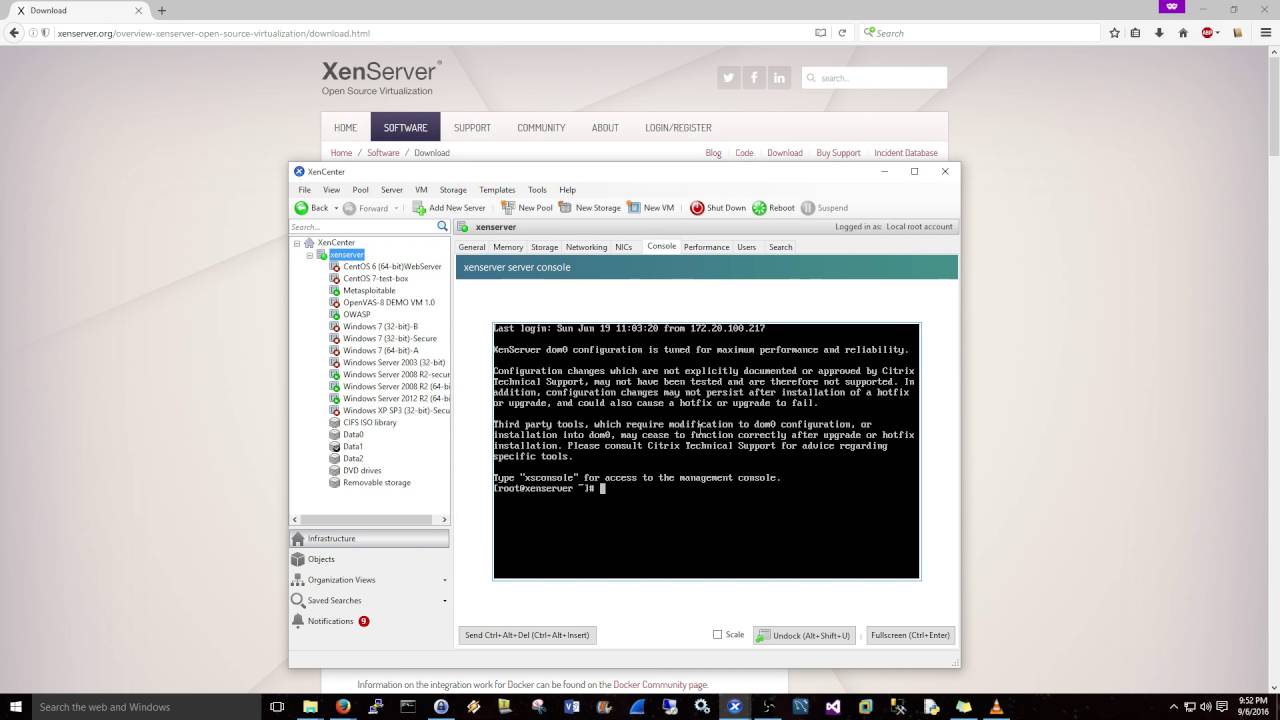
Xen’s design argument is about size. A hypervisor that is small enough to reason about is a hypervisor with fewer places for a bug to hide, and Xen’s core is a fraction of the code in a general-purpose kernel. It powered a large part of Amazon Web Services before AWS moved to its own Nitro platform, so the scalability claim has been tested at a scale nothing else in this list has seen.
Features:
- A deliberately minimal hypervisor core, with management and device work pushed out into a separate privileged domain rather than living in the hypervisor itself.
- Driver domains: the network or USB stack runs in its own unprivileged VM, so a compromised driver takes down a container rather than the machine. This is the feature nothing else here offers.
- Both paravirtualisation and full hardware virtualisation, with PVH as the modern middle ground.
- Built for isolation and density from the outset.
Cybersecurity Application:
The clearest expression of Xen’s philosophy is Qubes OS, which uses it to give every activity its own VM — vault, work, personal, untrusted — with colour-coded window borders and no data path between them that you did not explicitly create. A malicious document opened in the untrusted qube has nowhere to go. For journalists, researchers and people who are plausibly targeted individually, it is the most carefully reasoned desktop security model that exists.
Be clear about the costs, because they are steep. Qubes needs a lot of RAM (16 GB is a realistic floor, more is better), gives you no useful GPU acceleration, is hard on battery life, and is fussy about hardware — check the community-certified list before buying anything. Everyday operations that are invisible elsewhere become deliberate: moving a file between qubes is a command, and copy-paste is a two-step keyboard sequence by design. That friction is the security control, which is precisely why people abandon it. And Xen itself is not magic — the Xen Security Advisory stream is active, and its isolation guarantees depend on you applying those advisories. Outside Qubes, plain Xen is now a niche choice for new deployments; most Linux virtualisation work has consolidated on KVM.
Video Tutorial:
10. UTM
- Supported Platforms: macOS, iOS
- Type: Free & Open Source
- Official Website: mac.getutm.app
- Download Link: mac.getutm.app/download
Overview:
UTM is QEMU with a native macOS interface in front of it, using Apple’s Hypervisor and Virtualization frameworks where it can. That inheritance gives it the one capability Fusion and Parallels lack on Apple Silicon: because QEMU can emulate, UTM can run x86_64 guests on an M-series Mac. It picks the mode for you — hardware virtualisation when architectures match, software emulation when they do not.
Features:
- Two modes in one application: fast native virtualisation, or cross-architecture emulation.
- A genuinely well-made SwiftUI interface over what is normally a wall of command-line flags.
- Folder sharing, USB redirection and clipboard integration.
- Runs on iOS and iPadOS too, though without JIT the performance there is a curiosity rather than a tool.
Cybersecurity Application:
For an Apple Silicon Mac, this is the best free starting point. ARM-native Kali runs at full speed. And when you need to boot an x86_64 image — an older pentesting ISO, a vulnerable VM that was never rebuilt for ARM, a legacy sample — UTM will do it where the commercial options simply refuse.
Set expectations on that emulation, because it is the reason people either love UTM or give up on it. Software emulation runs roughly ten to twenty times slower than native. An x86 Windows guest under emulation on an M-series Mac is usable for a patient look at a file and painful for anything interactive; booting it takes minutes, not seconds. It works, which is more than the alternatives manage, but “works” and “pleasant” are different claims. For sustained x86 analysis, a separate x86 machine remains the right answer.
Hypervisor Comparison Matrix
| Hypervisor | Host OS | Type | Licensing | Primary Security Application |
|---|---|---|---|---|
| VMware Workstation Pro | Windows, Linux | Type-2 | Free (personal) | Isolated LAN segments and snapshot trees for malware work |
| Oracle VM VirtualBox | Cross-platform | Type-2 | GPLv2 (Extension Pack is not) | Reproducible target labs via Vagrant; easiest to fingerprint |
| QEMU | Cross-platform | Type-2 / Emulator | Free and open source | Firmware and IoT emulation across architectures |
| Proxmox VE | Bare-metal | Type-1 | Free and open source | Persistent labs and SIEM hosting off your workstation |
| Microsoft Hyper-V | Windows | Type-1 | Free (built in) | Windows blue team work; takes over VT-x when enabled |
| VMware Fusion Pro | macOS | Type-2 | Free (personal) | Linux and ARM Windows guests on Mac; no x86 on Apple Silicon |
| Parallels Desktop | macOS | Type-2 | Paid subscription | Windows-only tooling, at the cost of heavy host integration |
| KVM | Linux | Type-1 | Free and open source | Throughput work — IDS/IPS, passthrough NICs, infrastructure |
| Xen Project | Linux/Unix | Type-1 | Free and open source | Driver-domain isolation; the engine under Qubes OS |
| UTM | macOS, iOS | Type-2 / Emulator | Free and open source | The only way to boot x86 guests on Apple Silicon, slowly |
Conclusion
Two decisions, in order. First: is the guest trusted? If it is a lab target, a development box or a Windows install you are configuring, take whatever is most convenient — VirtualBox with Vagrant if you want other people to be able to rebuild it, VMware Workstation Pro if you want better snapshots and real network segmentation, both free. If the guest is not trusted, the hypervisor matters far less than what you switched off: no shared folders, no clipboard, no drag-and-drop, no 3D acceleration, an isolated LAN segment with no route out, and a host you are prepared to reinstall.
Second: is this permanent? A lab that lives on your laptop competes with your laptop for memory and gets torn down whenever you need the RAM back. Dedicated hardware running Proxmox VE changes what is possible — the VMs stay up, you accumulate real baseline telemetry, and detection engineering stops being guesswork. A second-hand mini PC is a better lab investment than any software on this page.
Everything else follows from your hardware. On Linux infrastructure, KVM. On an Apple Silicon Mac, UTM free or Parallels paid, with the standing caveat that x86 guests are either slow or impossible. And whichever you land on: patch it. The hypervisor is the one component where a vulnerability turns a contained experiment into a host compromise.
References
- QEMU Documentation
- VirtualBox Manual
- VMware Workstation Documentation
- Xen Project Overview
- Linux KVM Documentation
- UTM Virtualization Documentation
- Proxmox VE Wiki
